Make every encounter an opportunity.
A virtual business card that works for you. Choose your way in:
Secure payment by Stripe · Your card number never goes through our website.

- CompatibleiPhone and Android
- No appNeither for you nor for your clients
- On your phoneYour card as an icon on your home screen, and in Google Wallet on Android
- Updated in 30 secondsNumber, e-mail, job title
- No subscriptionNothing is charged automatically
- Track your statisticsOpens, scans, contacts received
A first exchange deserves better than a scrap of paper.
Everything starts with an exchange of contact details: a sale, a partnership, a new relationship. Yet it is often the only step still on paper. Opcard takes it digital and turns it into a tool that works for you.
Read more
Every partnership, every referral starts there too. A paper card gets lost or forgotten at the back of a drawer. You might as well make the best possible impression and not lose a crumb of it: every encounter becomes a real asset for your business.
- Captureevery contact, in one scan
- Qualifyand follow up in your CRM
- Analyseto perform
- Cost-effectiveUpdates without throwing away or reprinting anythingVolume pricing for teams
- Always with youOn your phone, wherever you go. Printable if needed
- Never lostNo paper, plastic or metal card to misplace. New phone? Your link is in your e-mails. On Android, it also goes into Google WalletFor your clients, it is stored in their contacts
- EditableNumber, e-mail, job title: 30 secondsSomeone leaves? It moves to a new cardholder
- CSR approachFewer cards printed and thrown away: a concrete step for your CSR policy
- ProfessionalIn your colours, a shared identity for the teamLinked to your Google Calendar: your meetings are added automatically
- NetworkingYour community of partners, a powerful tool for referring one another
- Your venue's showcaseGoogle reviews, your latest news and your customers' photos
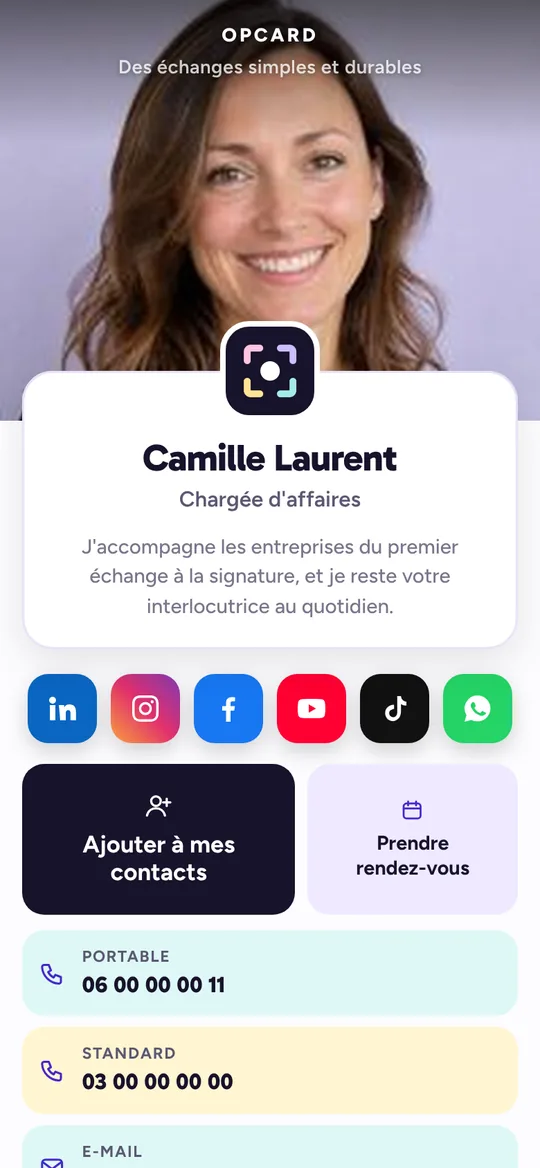
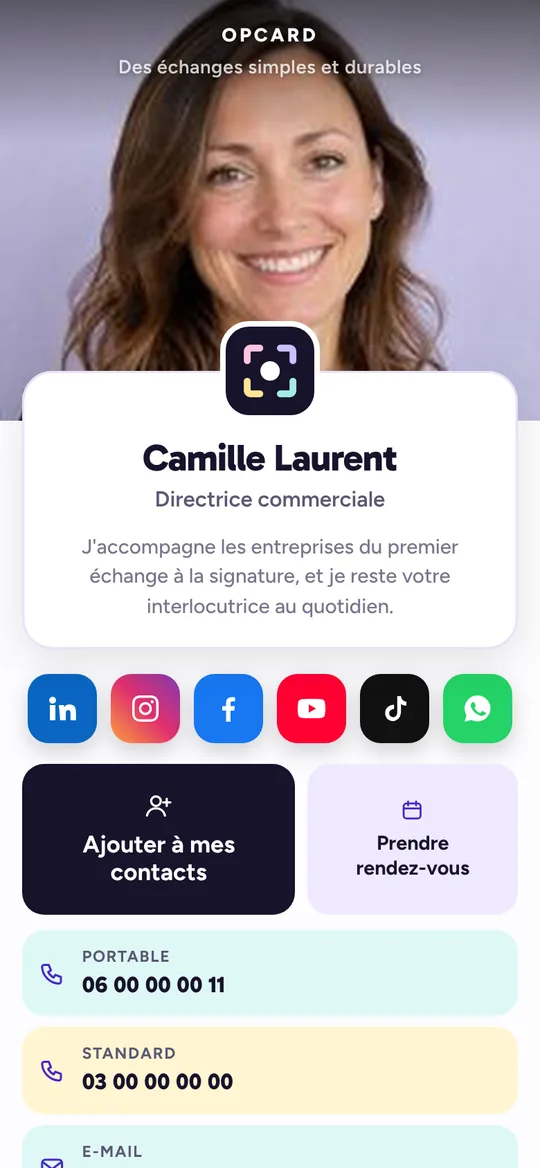
This is what your Opcard virtual business card looks likeIt is the card your clients see and keep, and so do you. It is personalised to your image, and you edit it yourself from your dashboard.
1Add to my contacts
One tap, and your details are saved on your client's phone. Name, number, e-mail, company: nothing to copy out.
That is also what the first QR code, “Save”, does: your client scans it and your details are saved straight to their phone.
2Book a meeting
Optional. If you have an online booking calendar (Calendly, Cal.com, Google Calendar appointment booking…), you add its link: this button appears on your card, and your client picks a free slot themselves. Without a link, the button does not appear.
3Your numbers and your e-mail
Written out in full on your card: people know what they are calling, and can note them down to reach you later. One tap, and your client calls you or writes to you. No app to download for that. Several numbers? Mobile, landline, office: each has its own line.
4Your social networks and your links
Your social networks as badges in their own colours, just below your name. Your other links (website, Google reviews, catalogue, brochure…) as buttons, with their address written out in full.
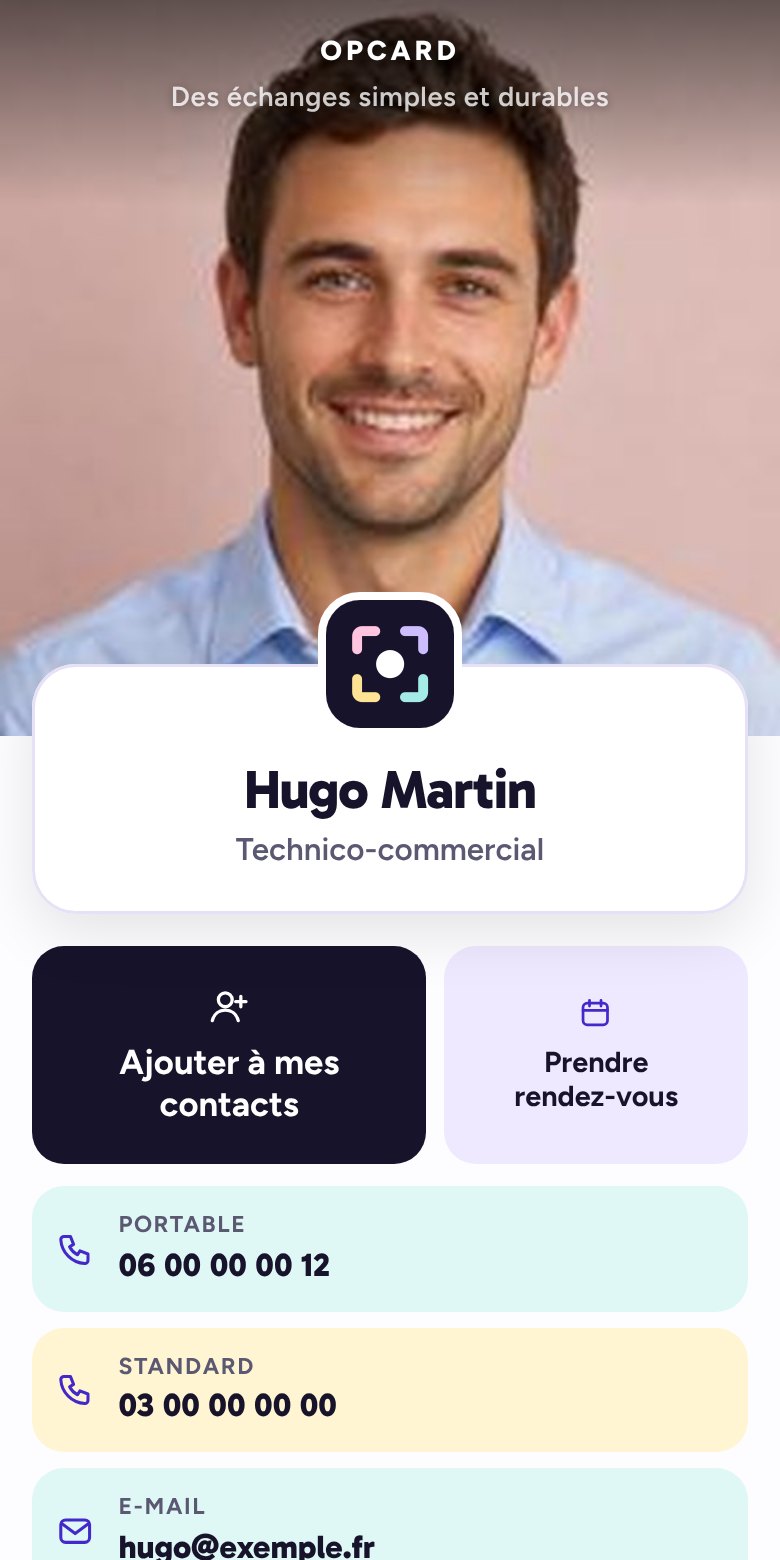
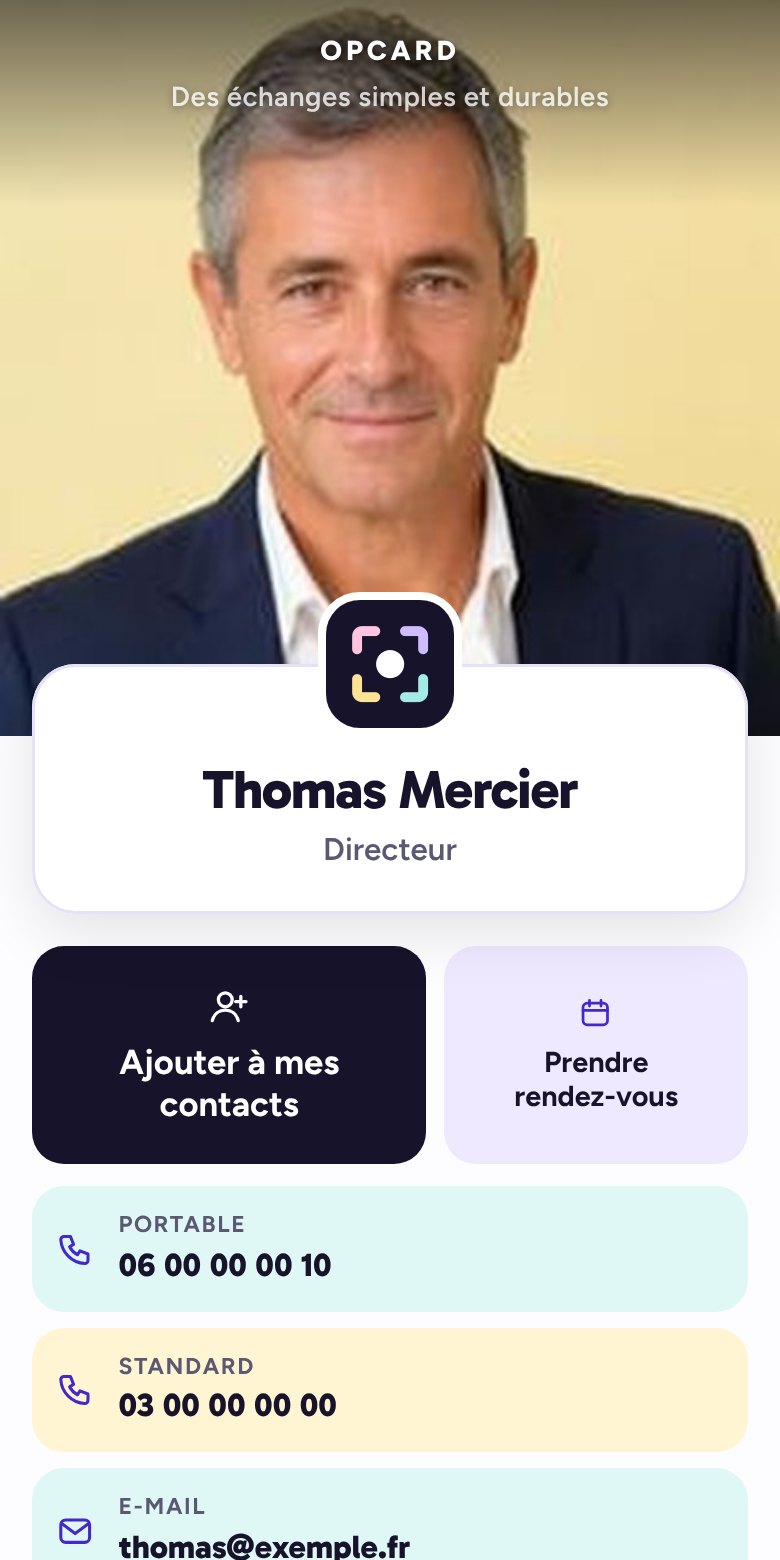

Léa Petit
Sales assistant
I support our clients from the first exchange through to signature, and I remain your day-to-day contact.
Scan: your details are saved straight to their contacts, even offline.
Which number to call?
Tap a number to see what it does
5Your two QR codes
You show them on your phone, your client scans them with their camera.
“Save”: your details go straight into their contacts, even offline.
“Open the card”: your virtual business card opens on their phone, with your buttons and links, and a window offers to save your details. Connection required.
6Share the card in one gesture
These buttons work for you and for your clients alike. You send your card to a prospect; a happy client sends it to someone close to refer you. WhatsApp or SMS: the message opens with the card link already in it, all that is left is to choose the recipient. “Send to” opens the phone's share menu (Quick Share, e-mail). “Copy link” is for your e-mails, your quotes, your signature.
7Your client leaves you their details
At the bottom of your card, they can give you theirs in return: their first and last name, company, phone, e-mail, or simply a photo of their business card. They go straight into the CRM in your dashboard. With “Get a call back”, they ask you to call them back.
8On the home screen, like an app
You keep your card as an icon on your phone, to show it in one gesture. Your client can do the same, with the “Keep this card on my home screen” button. On Android, you can also add it to Google Wallet from your dashboard: your QR code appears in one gesture, like a loyalty card. Google Wallet is not available on iPhone.
The difference with “Add to my contacts”: the contact stores your name and numbers in their address book. The icon keeps your whole card, with your buttons and links, always up to date.
 An icon with your logo
Your card, sent by message
By SMS, WhatsApp or e-mail: the link appears with your photo, your name and your job title. Your contact opens it and saves your details in one gesture.

The demo shows everything. You personalise your own card.
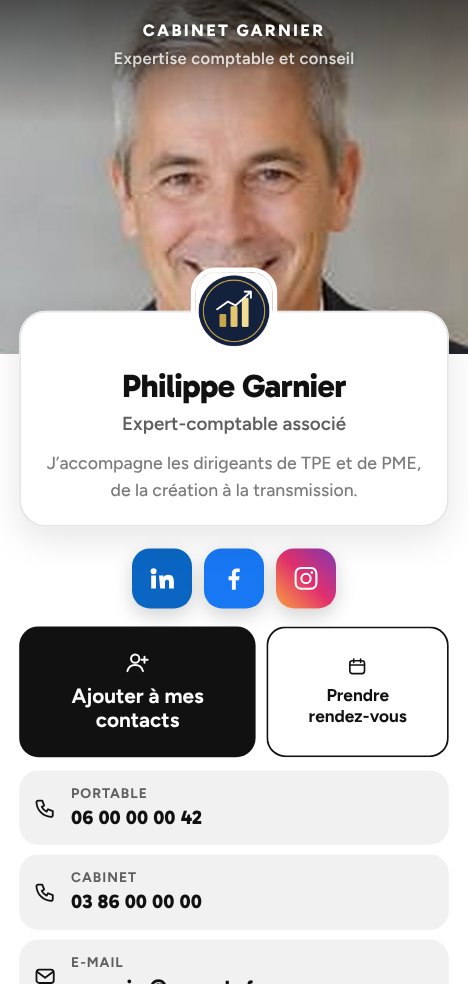
You choose the buttons, contact details and links to share with your clients, with or without your photo, in your colours: your own brand guidelines, or one of the designs we offer.
Contact us
Your Opcard can be edited in one click.
A number that changes, a team member who leaves: you make the change yourself and it is live straight away. The link and the QR code stay the same, nothing to reprint.


 Updated just now
Opcard gives you access to everything
500 or 2,000 scans, same price: your scans are unlimited. CRM, dashboard and statistics included, at no extra cost, even with a single card.
Also designed for teams, networks and venues
Each has its own page: Companies · Networks · Local businesses.
The adventure starts here.
We create your card with the essentials. You then complete it yourself from your dashboard, guided by the user guide; our customer service remains at your disposal.
Order online
Pay by bank card. You quickly receive the link to your dashboard; your card is ready within 48 hours at most.
We create your card
As soon as you receive the first link, complete your dashboard: your information will be online when your card launches.
You spread the word
Refer each other between professionals. Know who referred you.
Join a real network: solid, influential, sharing your values and your vision. Create your own on pcard or join the one you are invited to: trusted partners, by invitation only, who refer one another. Free with the card.
 Introducer
 Architect
 Real estate
 Broker
 YouTuber
Do you welcome the public? A card for your venue.
Paper, social network or virtual business card?
Only one of the three gives you back the client's contact details. Choose Opcard. Just saying.
| Criterion | Paper card | Professional social network | pcard |
|---|---|---|---|
| Cost per person, over a year | €90 | Free | ✓€34.80i.e. €2.90 a month, + creation in the first year |
| Your details on the client's phone | To be copied out | Once accepted | ✓1 scan |
| Their details come back to you | — | If the invitation is accepted | ✓Straight into your CRM |
| Prospect follow-up | — | — | ✓Reminders, meetings, Google Calendar |
| The cards you are given | At the back of a drawer | — | ✓Scanned in 1 gesture |
| New number, new job title | Reprint everything | Profile to update | ✓30 s from your dashboard |
| Business network | — | Open to everyone | ✓Private and exclusive, by invitation |
| Google reviews | — | — | ✓Requested automatically |
| A team member leaves | Cards in the bin | Their connections leave with them | ✓Their contacts stay with you |
| Manager's view of the team | — | — | ✓Manager dashboard |
| App for your client | None | An account | ✓None |
| Environmental impact | Disposable paper | — | ✓CSR approach: print only if needed, never reprint |
Need paper, just this once?
A trade fair, a client who prefers paper, a flat battery: print it yourself, from your dashboard, on your own printer. In your company colours, with the details you choose to show.
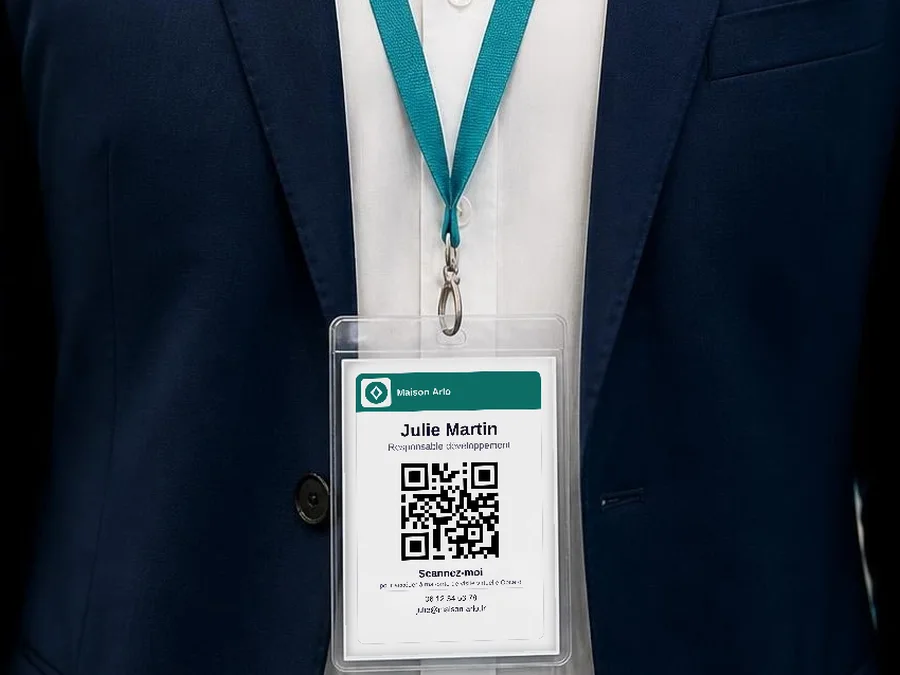
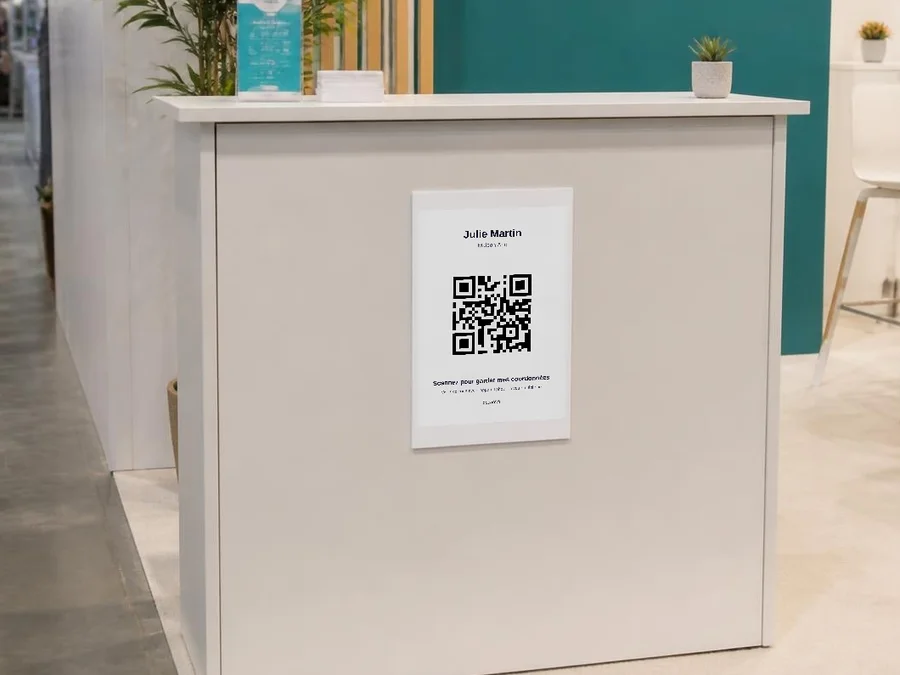
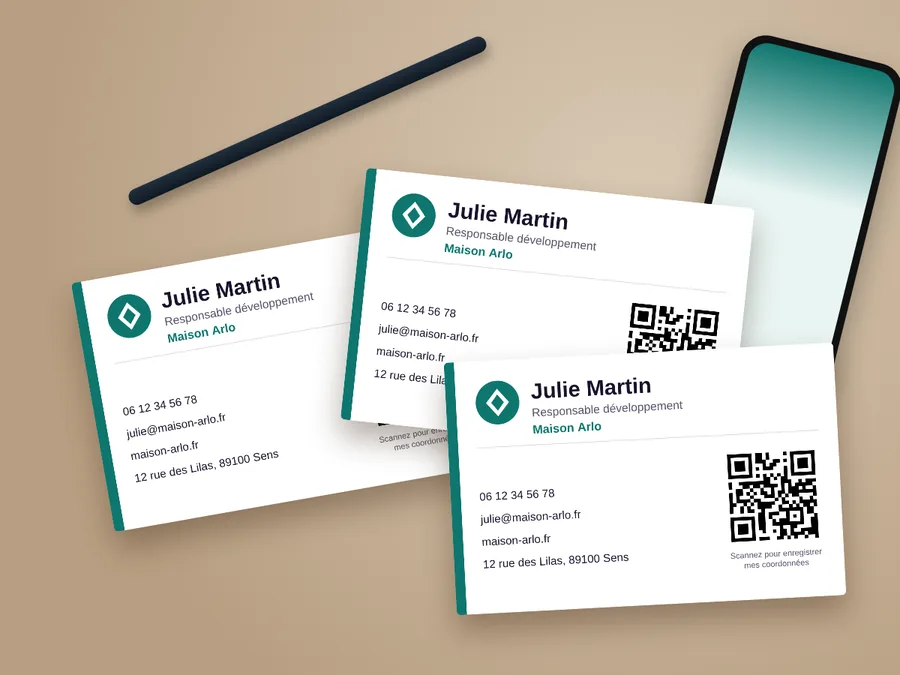
Print on thick paper, 200 gsm or more, for a sturdy result. The QR code always leads to your up-to-date card: a number that changes, even at the last minute, and your prints stay valid.
Shall we get started?
€69 when you order, then €34.80 a year if you renew. No subscription.
- Creation of your card with the essentials, then you complete it yourself from your dashboard, with the user guide
- Your personal link and your QR code
- Publishing and hosting all year round
- Unlimited shares and scans
- All included: contact details, buttons, logo, photo and colours that you can edit yourself, free of charge, live straight away
- Your dashboard: CRM, performance tracking tool, network creation tool, e-mail signature and printable materials
Secure payment by Stripe · Your card number never goes through our website.
- Cards and contacts hosted in France
- No resale of data
- No advertising cookies
Your changes
Only changing a card's cardholder is charged: €19.
Opcard updates at no extra cost.
For your teams
+ €26 per card in the first year only, for creation. That is €295 when you order, then €165 a year.
Secure payment by Stripe · Your card number never goes through our website.
Manager dashboard (back office) included from 2 cards.
From 1 to 4 cards: the single-card price applies.
Your questions
Ordering
Do I have to create my card myself?
No. We create it with the essentials: your company name, your first and last name, your contact details. You then complete it yourself from your dashboard (photo, logo, social networks, buttons, colours), guided step by step by the user guide. There is no software to learn, and our customer service is at your disposal if you need help.
How long does it take to receive my card?
Within 48 working hours of your payment and of sending us your information. For a team, we confirm the timeframe by e-mail as soon as we receive the list.
What exactly do I receive after ordering?
Two links, by e-mail, both to keep as icons on your phone's home screen. The first is your virtual business card: you open it to show your QR code, and the person in front of you saves your details in their contacts or keeps your card on their own phone. The second is your dashboard, which is reserved for you and works like a tracking app: you find the contact details people leave you, the cards you have scanned, the number of times your card has been opened, and you make your changes there.
What if I'm not entirely happy with the card I receive?
Tell us from your dashboard. Within 7 days of delivery, one round of adjustments is free: a colour, a button, a wording, anything you specify in that request. We make it within 24 to 48 hours.
I don't need all the buttons in the demo, how does that work?
Your card only contains what you use. With no booking link, no social network or a single number, the corresponding buttons do not appear. If a feature interests you but you are not sure how to set it up, write to us: we will explain how.
I don't have a website, is that a problem?
No. Your card can lead to your Instagram, your Facebook, your Google page, your WhatsApp or your booking page.
Using it
Why doesn't Opcard offer a physical card, in plastic or metal?
Because objects get lost. Prospects lose the card you hand them, and you can lose yours too: then you have to buy it again and pay again. Your virtual business card lives in your phone and behind a link. New phone? The link is in your emails and you get your card back in an instant. Nothing is ever lost, and nothing has to be bought again. For the rare times when paper is still useful, you print a badge, a poster or business cards yourself from your dashboard.
Do my clients need to install an app?
No. The card opens in their phone's browser, from the link or the QR code, which they scan with their camera. They save your details in one tap and, if they wish, keep your card as an icon on their home screen.
Does it work on all phones?
Yes, on iPhone as well as Android. Your client points their camera at your QR code, or opens your link: the card appears in their browser. They need a connection the first time; after that, the card also opens without a signal on their phone, as it does on yours (trade show, basement, dead zone). The “Save” QR code, for its part, adds your details to their contacts even offline.
I attend business networking meetings and want to share my card many times: is there a limit?
No. We limit nothing: you share your card and have your QR code scanned as many times as you like, at no extra cost. Ten people or two hundred in an evening, the price stays the same.
And the cards I'm given in return, what do I do with them?
You file them straight away in your dashboard, which you keep as an icon on your phone thanks to the link received on delivery. Someone shows you a virtual business card: you scan its QR code and the contact is saved in your CRM, with the link to reopen their card. Someone hands you a paper card: you take a photo of it, the clearly legible information is filed automatically, and you dictate the rest whenever you like, with the photo kept alongside the contact. Your CRM keeps all your contacts, you note your follow-ups there, you find them by name and you download the list for Excel whenever you like.
Who can see the contacts in my CRM?
You, and no one else, unless your company has brought its cards together in a manager dashboard: the person it has designated can then view them too, without being able to edit them, and your dashboard tells you so. Your dashboard opens with a personal link that only you hold. We host your contacts on your behalf, without viewing or reusing them, and you can download or delete them whenever you like.
Can I tell whether my card is being viewed?
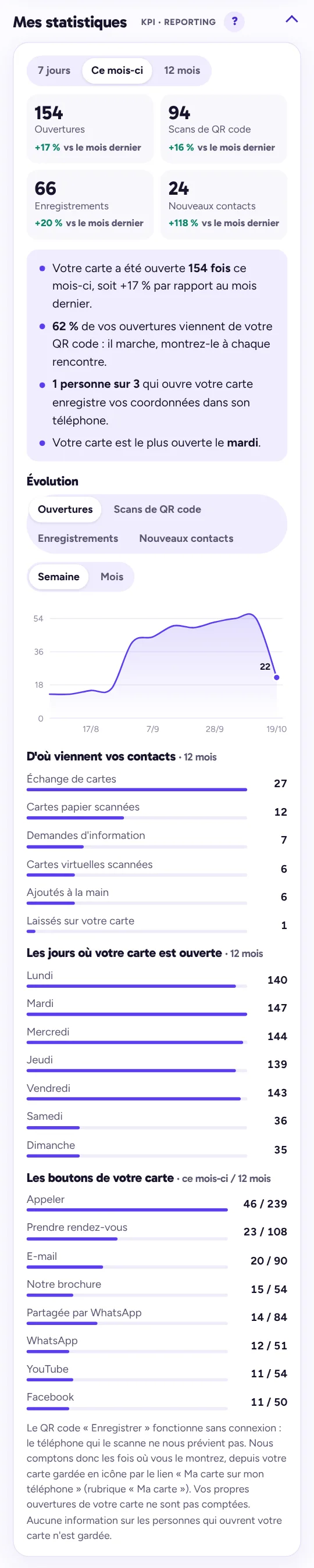
Yes. Your dashboard shows the number of times your card has been opened, the number of scans of your QR code, the number of people who saved your details with the button and the number of times you showed your “Save” QR code, this month and over twelve months.
Do you also offer a physical card, for my trade shows for example?
No, and that is a deliberate choice. A paper card gets lost, forgotten at the back of a drawer or ends up in the bin. A contact saved in a phone stays, and it is already there on the day someone needs you. We have still thought about your trade shows and your day-to-day. From your dashboard, you print your card's QR code: placed on your stand or your counter, it lets your visitors scan it without asking you, save your details for later, and even keep your whole card on their phone's home screen. And for people who are not yet comfortable with digital tools, your dashboard generates a simplified card in business card format: ten per A4 sheet, to print straight away on your printer and cut out.
I leave my paper cards for people to take at local shops, how do I do that?
You keep that habit, with two solutions from your dashboard. The first: the poster with your QR code, to print and place on the counter. It never runs out, no one needs to restock it, and whoever scans it leaves with your details on their phone. The second: your card in paper format, with its QR code, to print ten to a sheet and leave in a pile as before. You print as many as you need, when you need them, without ordering from a printer.
Editing, paying, renewing
I'm changing my number or address, what happens?
You correct it yourself from your dashboard, in two minutes: it is free and your card is updated straight away. You can also change your logo, your photo, your colours, and add or remove buttons there. Any difficulty: request assistance from your dashboard, we reply within 48 hours at most. Your card's link does not change: everything you have already shared remains valid.
What about clients who have already saved my contact?
The contact already saved on their phone stays as it was. As soon as they reopen your card, from the link or the QR code, they see your updated details and can save them again.
I manage a team: can I track my team members' cards?
Yes. As soon as you equip several people, you receive a link to your manager dashboard, at no extra cost. There you see each card and its figures for the month (opens, scans, details saved), and all the contacts received or added by your team members, with the name of the person who received them and the follow-up given. You filter by team member and download the list for Excel. You view without editing: everyone stays in charge of their own follow-up, and each team member is informed of this access in their own dashboard. You stay in control of two things: you decide whether your team members can download the full list of their contacts or whether that is reserved for you, and you can cut off a team member's access on the spot, for example when they leave. Their contacts stay with the company.
An employee leaves the company, what happens to their card?
It moves to the name of the person replacing them, for €19, without buying a new card: the period already paid continues. If the card's address bears the former employee's name, it changes, and so does its QR code; the old address redirects to the new one, so whatever has already been shared leads to the right person. To avoid this change, choose an address per position or per area when you order (for example your-company-office or your-company-lyon): the link and the QR code then stay the same. The CRM stays with the company, unless you ask us to empty it. With the manager dashboard, you don't have to wait: you cut off their access yourself, immediately. The link to their dashboard no longer leads anywhere, they can no longer view or download the contacts, and those their card receives keep arriving with you.
How does payment work?
By bank card, online, when you order. An invoice is sent to you.
Is it a subscription?
No. You pay €69 for the first year, in one go, and nothing is charged afterwards. One month before the due date, we send you an e-mail with a payment link: if you pay €34.80, your card stays online for another year. Otherwise, it is simply deactivated 15 days after the due date, and you can reactivate it whenever you like.
What happens if I forget to renew my card on time?
Nothing serious. We notify you by e-mail one month before the due date, then one week before, then on the day itself. If we don't hear from you, your card stays online for another 15 days, then we suspend it, assuming you may want to stop. Was it an oversight, or did you not have time? As soon as you pay, we reactivate it: you get back the same card, the same link and the same QR code.
I recommend your service, what do I get out of it?
You get one month added to your own plan, and the company you refer also gets two months free: its card runs for 14 months instead of 12. Your referral link and QR code are in your dashboard: the month is added automatically as soon as the referred company's card is online.
Discover your dashboard.
Every card has its own, on a computer as well as an icon on your phone.
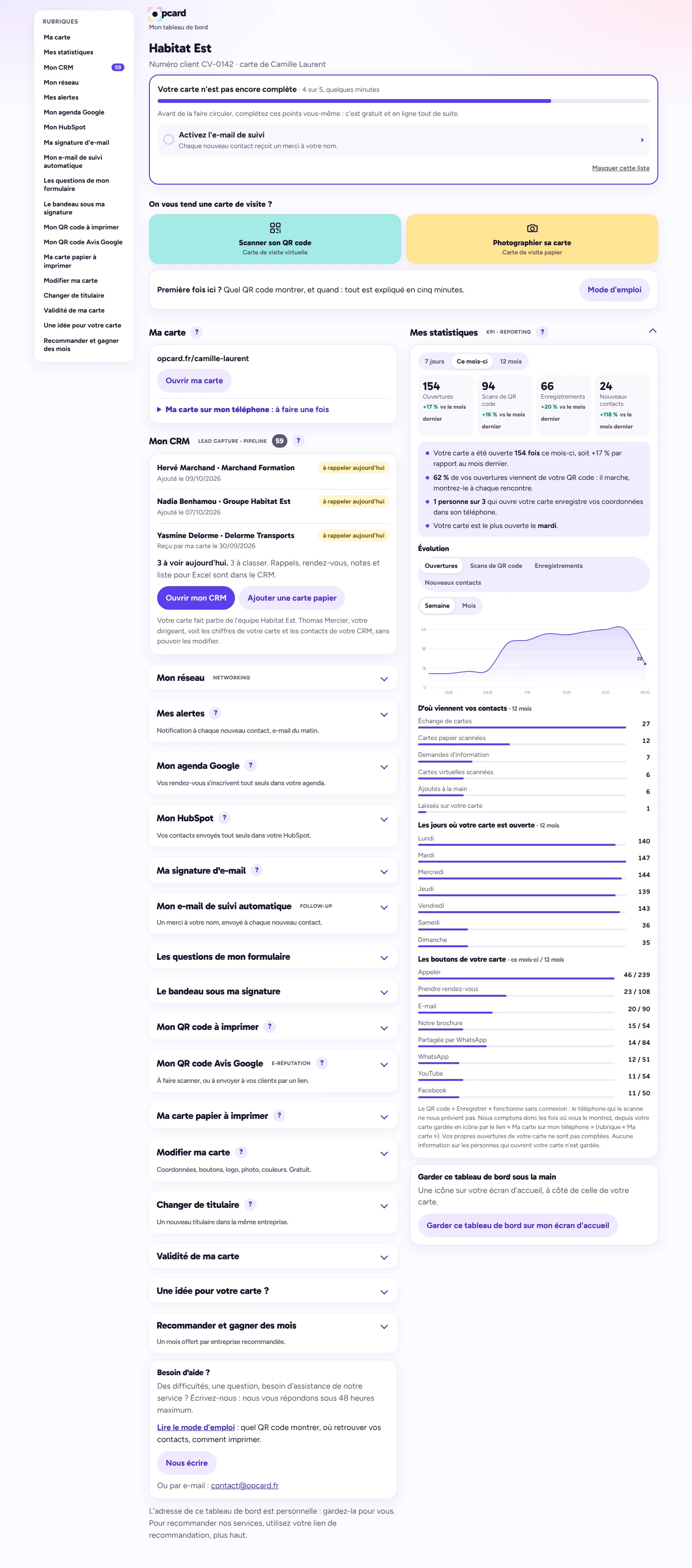
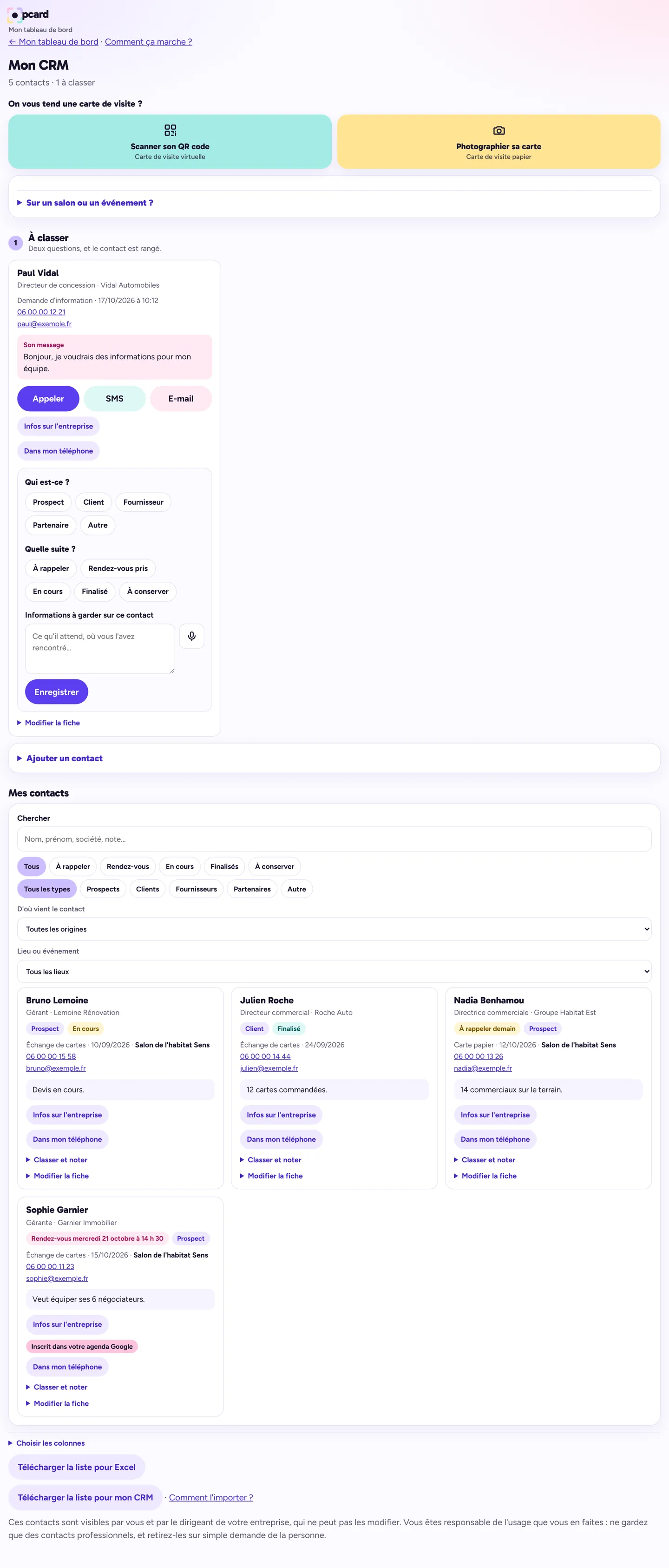
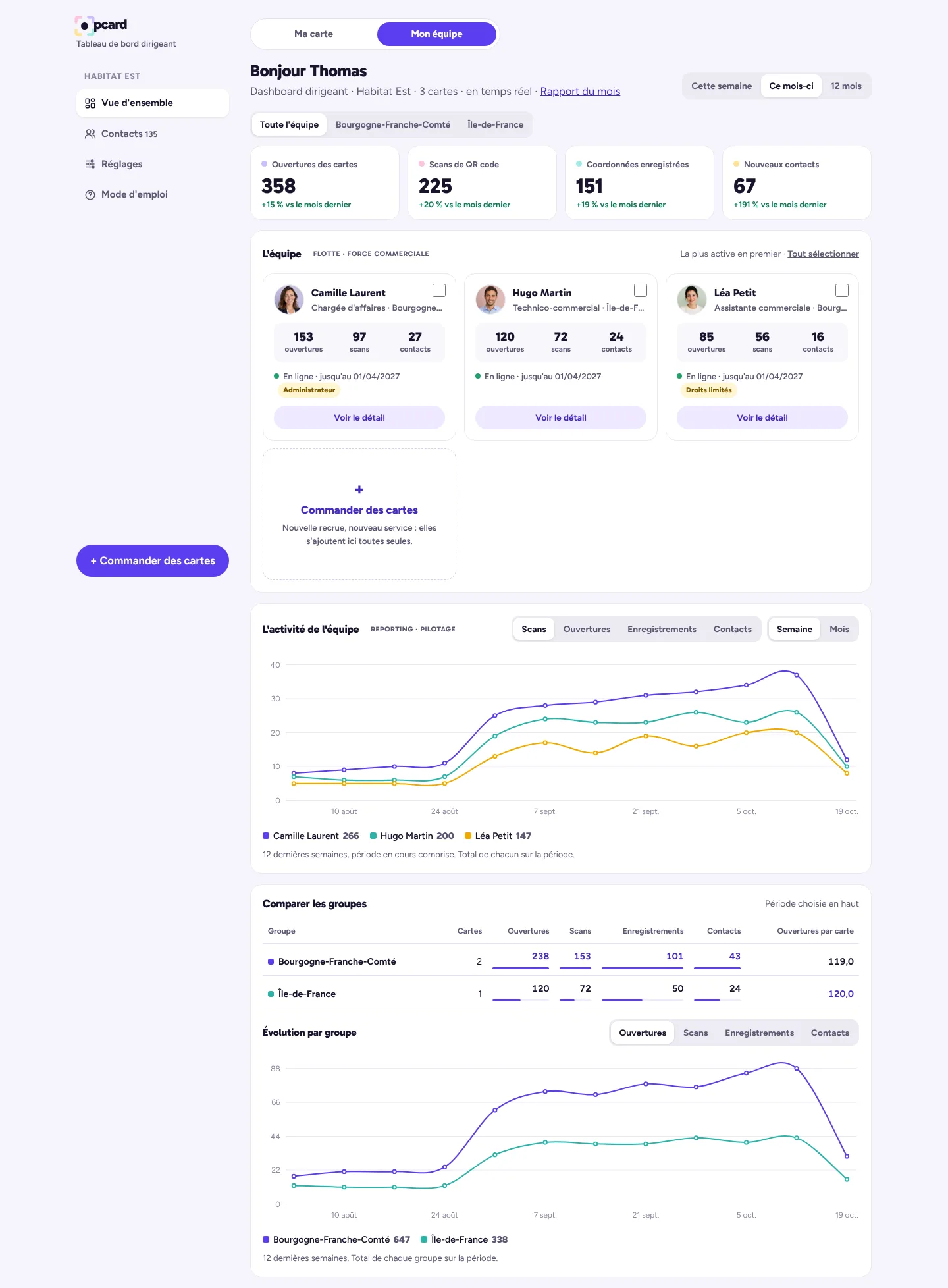
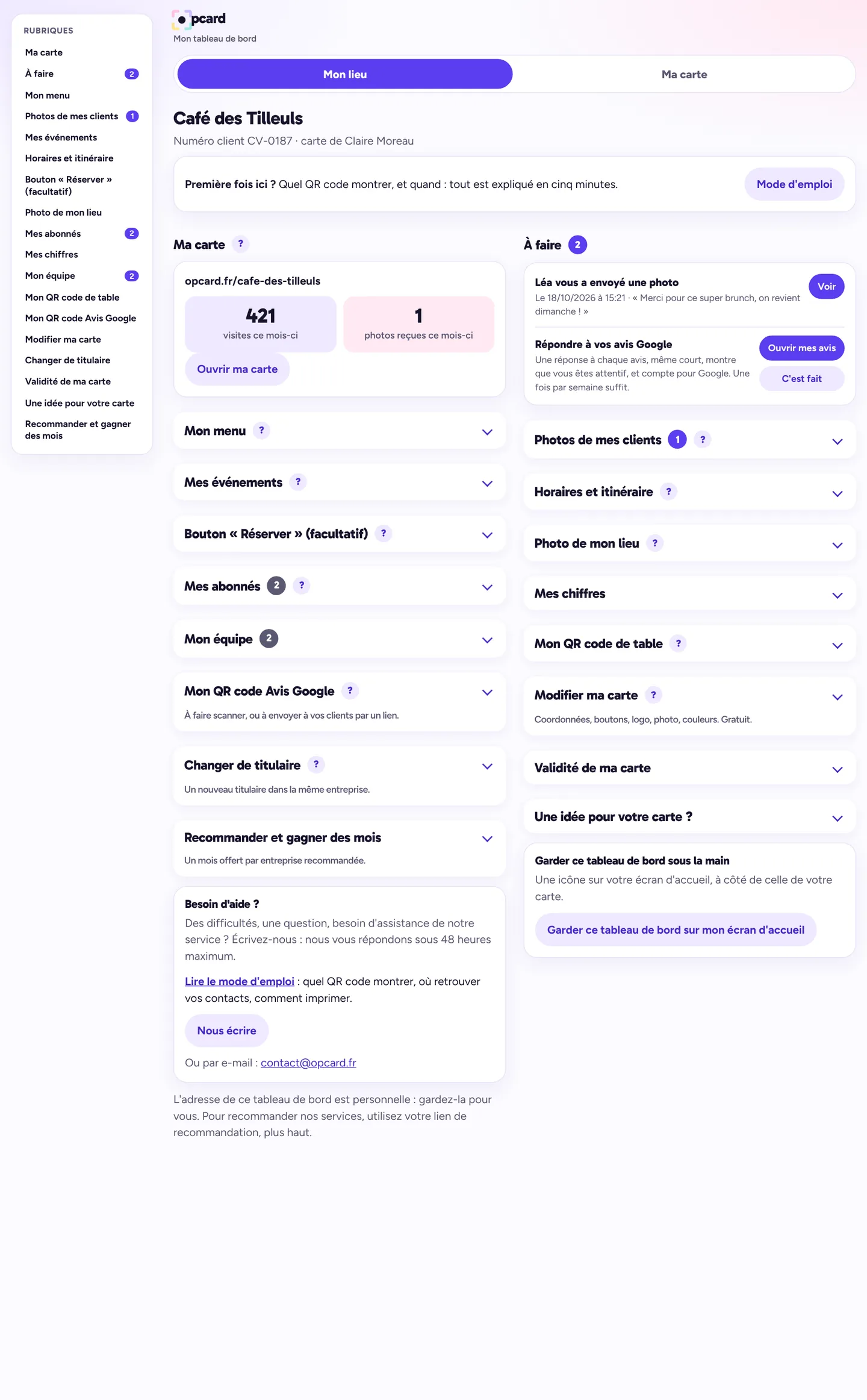
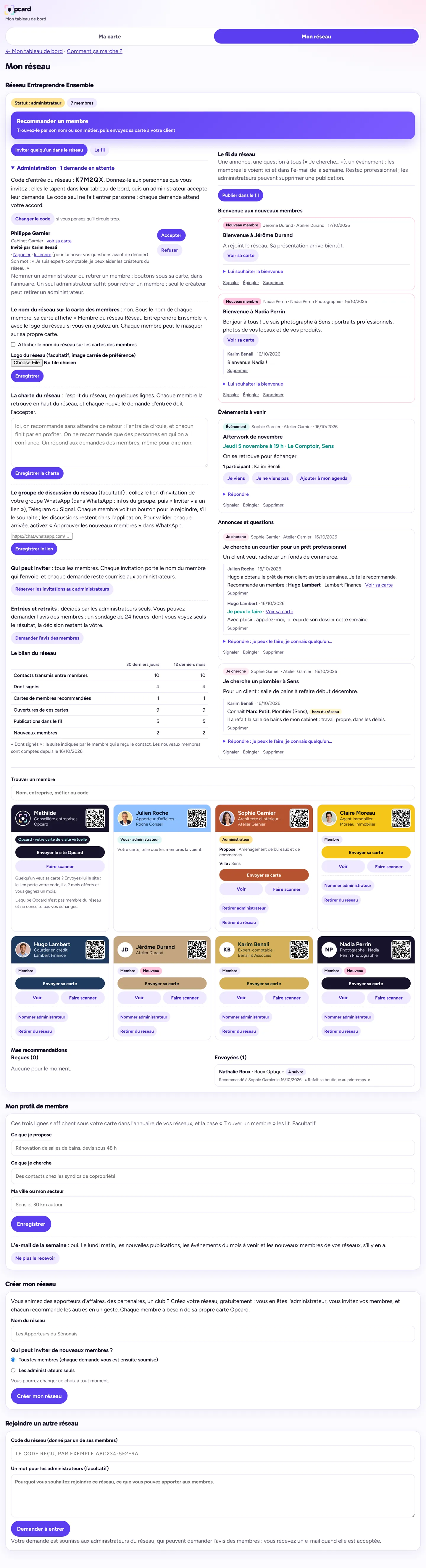
Your dashboard: scan a card, your KPI and the key takeaways. All sections are on the left.
Scroll the screen to explore · demo data
And on your phone:

Lead capture
A complete user guide is included.
Capture every contact
Lead capture: scan, form, photo of a paper card read by OCR*, trade show mode.
Learn more
They scan your card and leave you their details, you scan theirs, or you photograph their paper card. Someone still hands you a paper card? Photograph it, and slip them the link to yours. At a trade show or an event, switch on trade show mode: for 12 hours, every contact taken or received is filed with the name of the event.
Your CRM and your pipeline
Qualification, reminders, automatic follow-up, meetings in your Google Calendar.
Learn more
Every incoming contact is qualified (prospect, client, partner…) and placed in your pipeline: to call back, meeting, in progress, completed. As soon as they leave you their e-mail, they receive a thank-you in your name, with your card and your booking link. Follow-up reminders on the day, export for Excel or your CRM software, direct link with HubSpot. Do you connect your Google Calendar? Every meeting noted in the CRM is added to it automatically, with a reminder 30 minutes before.
Track your performance
Your KPI* in real time.
Learn more
Opens of your card, scans of your QR code, details saved, clicks on each button, week by week and month by month.
Every e-mail leads to your card
E-mail signature and promotional banner.
Automated Google reviews
Your e-reputation, without thinking about it.
Learn more
Switch it on: as soon as a client moves to “Completed”, the review request is sent to them by e-mail automatically.
Referral marketing
You always know who brought you what.
Learn more
Your partner network and your referral link: your contacts refer you, and every referral arrives in your CRM with the name of the person who made it.
Your printable materials
QR code, poster, paper card.
Learn more
Your QR code, as an image or as a poster ready to place at a trade show, on a counter or in a shop window. And your paper card, when one is needed: ten per A4 sheet.
* OCR: automatic reading of the text in a photo. KPI: key performance indicators.
I'm ordering my virtual business card
You pay online and quickly receive the link to your dashboard; your card is ready within 48 hours at most. €69 for the first year, then €34.80 a year.
- Secure bank card payment, processed by Stripe
- Your bank details are never passed on to us
- No subscription: you pay for one year, nothing is charged afterwards. One month before the due date, we offer you the option to renew
- Invoice sent after payment · Terms of sale
Someone referred you: 2 months free. Your card will be valid for 14 months instead of 12.
Order my cardI'm renewing my card
You will find this option in your personal dashboard. If you have lost it, send us your e-mail address: we will send you its link again.
Open my dashboardSecurity
To protect your cards and your contacts.
- Hosted in France
- Encrypted
- Personal accessTwo-factor authentication for the manager
- Confidential
- Secure payment
What you display on your card is visible to anyone who has its link. Details in our privacy policy.
A question, before or after your order?
Book a call with our team, or leave us your details: we reply within 48 working hours.
Book a call with our teamLegal notice
This English translation is provided for information only. The French version is the only legally binding one. Read the French version.
Website publisher
The service is offered under the Opcard brand (formerly “Carte de visite virtuelle”, at cartedevisitevirtuelle.fr).
Sébastien Couchard, sole trader (entrepreneur individuel) operating under the trade name “Agence 213”.
1 chemin du Prieur, 89140 Michery, France.
SIREN 539 597 922 · SIRET 539 597 922 00076 · APE code 62.01Z.
Phone: 06 47 49 42 14 · E-mail: contact@opcard.fr.
Publication director: Sébastien Couchard.
VAT not applicable (French tax code, art. 293 B).
Hosting
OVH SAS, 2 rue Kellermann, 59100 Roubaix, France (ovhcloud.com).
Intellectual property
The texts, layouts and graphic elements of this website are the property of Agence 213. Any reproduction without written consent is prohibited.
Cards shown
The demo card features a fictitious person and company. The cards shown as examples are designs produced by Agence 213, displayed with names and contact details hidden.
General terms and conditions of sale
This English translation is provided for information only. The French version is the only legally binding one. Read the French version.
1. Purpose
These terms govern the sale of the Opcard virtual business card service, offered by Sébastien Couchard, sole trader operating under the name “Agence 213” (contact details in the legal notice). The service is intended for professionals and private individuals alike. A “consumer” is a client who orders in a personal capacity, outside any professional activity. Placing an order constitutes acceptance of these terms.
2. The service
The service includes the creation of a personalised virtual business card based on the elements provided by the client (contact details, links, logo, colours), a personal link, a QR code, as well as the publishing and hosting of the card during the paid period, and a personal dashboard with a CRM to classify the contacts received and note the follow-up to be given. The client may, if they wish, link their Google Calendar: the meetings they note in their CRM are then added to it automatically, with the duration and reminder they choose; a meeting they move or delete in Google is detected in their CRM. This link is made with a single Google account per card; Opcard only accesses the events it has itself created, and the client can disconnect it at any time. The client may also link their HubSpot account: their contacts are then sent to it, at their request, and they can disconnect this link at any time.
3. Order
Orders are placed online: the client pays on the payment page, then sends the information for their card using the form provided for that purpose. The client guarantees the accuracy of the information sent and declares that they hold the rights to the content they provide (logo, images, texts).
4. Prices
- Virtual business card: €34.80 per card per year, plus €34.20 for the creation of the card by us, paid once with the first year, i.e. €69 for the first year.
- Renewal: €34.80 per card per year.
- Cards ordered together for the same company, per card: from 5 to 9 cards, €59 for the first year then €33 a year; from 10 to 19 cards, €54 then €30; from 20 to 39 cards, €49 then €27; from 40 to 59 cards, €44 then €24; from 60 to 69 cards, €42.80 then €22.80; from 70 to 80 cards, €41.60 then €21.60. From 81 cards, the price is subject to a quote. The renewal price is that of the tier of the original order. The first-year price includes the creation of each card; in subsequent years, only the renewal is due.
- Adjustment after delivery: one adjustment request, whatever the number of changes it contains, is free if it is made within 7 days of delivery of the card.
- Editing of the card by the client from their dashboard (contact details, job title, introduction, buttons, logo, photo, choice among the colours offered): free. For a card attached to a team, the logo and colours remain common to the team.
- Change of cardholder of a card within the same company (new name, new job title, new contact details): €19 per card. The period already paid remains unchanged.
- Change of company: this gives rise to a new card, at the price of a first year.
- “Venue” card (for a venue open to the public): same price as a virtual business card. Personal card for the owner of that venue, in addition: €20 a year, only one per venue, in the name of its owner.
Improvements made to the service during the paid period are included, at no extra cost, and do not affect the client's data. A new and distinct service, offered at a later date, may be subject to its own price, which the client is free to take up or not.
VAT not applicable (French tax code, art. 293 B).
5. Payment and invoicing
Payment is made in full, by bank card, at the time of ordering, through a secure payment provider. No automatic debit is made afterwards. No discount is granted for early payment. An invoice is sent to the client. For professional clients, in the event of late payment, penalties at three times the legal interest rate are payable, as well as a fixed recovery indemnity of €40.
6. Publishing the card
The card is created and published within an indicative period of 48 working hours from receipt of payment and of all the necessary elements.
7. Changes
The client edits their card themselves from their dashboard (contact details, introduction, buttons, logo, photo, colours offered), free of charge; these changes go live immediately. For any difficulty or question, they can request assistance from their dashboard; we reply within 48 hours at most. Only a change of cardholder is charged (article 4); it is carried out within 24 to 48 hours of payment. The client is responsible for the information and links they publish or ask us to publish. Correcting an error on our part is free. The free adjustment after delivery is requested from the client dashboard within 7 days of the card links being sent; it covers neither a change of cardholder nor a change of company.
On a change of cardholder, if the card's address bears the name of the former cardholder, the card receives a new address and a new QR code; the old address redirects to the new one for as long as the card is in service. An address chosen per position or per area is kept. Access to the client dashboard is renewed: the old access link stops working. The CRM is kept in the dashboard, unless the client requests otherwise.
7 bis. Manager dashboard
When several cards are ordered for the same company, the client may have a manager dashboard, included in the price of the cards. Cards in the same team share the company's logo and colours. It is accessible via a personal link, given to the person designated by the client. It displays, in read-only mode, the attached cards, their audience figures and the contacts saved in the CRM of each one, with the name of its cardholder, and allows these contacts to be downloaded. The client chooses the attached cards and the person who receives the link; they may at any time request the removal of a card or the replacement of the link, the old one then ceasing to work. From the manager dashboard, the designated person may also, without delay: cut off or restore a cardholder's access to their client dashboard (the card stays online, the contacts it receives remain the client's, and their alerts are sent to that person); allow or not allow cardholders to download the full list of contacts in their CRM, this download being closed to them by default. The client informs the cardholders of the attached cards of this access; each of them is also notified in their own dashboard.
7 ter. Referral networks
A cardholder may create a network from their dashboard, free of charge, or join one by invitation, with the agreement of one of its administrators. Invitations are made via a personal link sent by the member; the applicant may attach a note for the administrators. When the network is created, and at any time thereafter, the administrators choose whether all members may invite or only themselves. Entry is never automatic. The network is displayed in a separate tab of the dashboard, apart from the card. Administrators may choose to ask members for their opinion, for 24 hours, on an entry or a removal; this opinion is advisory, the decision rests with them. The creator is an administrator and may appoint others; an administrator accepts or refuses entry requests and may remove a member. Each member keeps their card, their dashboard and their CRM; the other members see their card and their role, never their CRM. A member only passes on to another member the contact details of a person who has consented to it; they are responsible for doing so. Administrators may draw up a network charter, which each new member accepts before their entry request, and have the network's name displayed on the members' public card, each member being able to hide it on their own. A member may publicly thank, in the feed, the person whose referral was successful. The Opcard card appears in every network. A deactivated card puts its cardholder's place in the network on hold, without deleting anything. A member may leave a network whenever they wish.
Network feed. Each member may publish announcements, questions, events and replies there, visible only to members of the network. They are solely responsible for them: their posts are professional, fair and lawful; they contain no abusive, discriminatory or defamatory remarks, no mass advertising, and no contact details of another person without their consent. The network's administrators may delete a post; any member may report one. Opcard hosts these posts without viewing or moderating them beforehand; it promptly removes a manifestly unlawful post as soon as it is reported, and may suspend a member's access to the network if they breach these rules. Posts are deleted one year after being published (one year after its date for an event). Each member may state in an optional profile what they offer, what they are looking for and their town, visible to the members of their networks, and receive a weekly summary e-mail, which they may opt out of at any time.
When a third party pays for the first year of cards intended for the members of its network, each card belongs to its cardholder, who becomes the client: they receive the renewal offers themselves, and the third party has access neither to their dashboard nor to their CRM.
8. Duration and renewal
The service is taken out for one year from payment, with no subscription and no tacit renewal. One month before the due date, the client receives by e-mail an offer to renew for one year, at the price in force, with a payment link. Without payment within 15 days after the due date, the card is deactivated and its link stops working; it is reactivated as soon as payment for a new year is received.
8 ter. “Venue” card
The “venue” card allows a business's visitors to view its menu, opening hours and events, leave a Google review, send photos to the business owner and sign up for its news. Opcard sends subscribers, on behalf of the business owner, an e-mail for each new event they publish (unless they untick the sending option) and the announcement of a new menu when they request it, at most once a week; each e-mail allows recipients to unsubscribe. The business owner is solely responsible for the content they publish (menu, prices, opening hours, events) and for the use they make of the photos received: they undertake to respect the permission given by their author, to publish a photo in which people are recognisable only with their consent, and to remove a post at the simple request of the person concerned. Photos received are kept for a maximum of 12 months on our servers. The subscriber list contains only people who have given their consent; the business owner uses it only for their own news and removes from the list anyone who asks.
The owner may sign a short introduction on the card, and give members of their staff (15 at most) personal access to their dashboard, limited to the sections they choose (menu, events, opening hours, photos…); they may change or withdraw this access at any time. They may also enter in the “My figures” section their footfall and, if they wish, their turnover: these figures are used only to produce their weekly and monthly summary, sent by e-mail, which compares them with the card's measurements (scans, menu views, photos received, clicks to the reviews). They are visible only to the owner and are never disclosed to third parties. Opcard does not read the venue's Google reviews.
8 bis. Referral programme
The client has a referral link and code in their dashboard. When another company, identified by a SIRET number different from theirs, orders a card through this referral, the client receives one free month: the expiry date of their card is pushed back by one month as soon as the referred company's card is paid for and published. The company that states, on its first order, the link, the code or the name of the person who referred it receives two free months: its card is valid for fourteen months instead of twelve. The free months granted to the referring client are limited to twelve per twelve-month period. They have no monetary value: they are neither refundable, nor transferable, nor convertible into money. We may change or end the referral programme at any time for the future; months already credited remain acquired, subject to article 13.
9. Right of withdrawal
Consumer clients have 14 days from their order to withdraw, without having to give a reason. Their card is created and published at the end of this period, within 48 working hours. To exercise this right, simply write to contact@opcard.fr (for example: “I withdraw from my order of [date], card in the name of [first and last name]”), or use the form below. We then refund the full price paid, by the same means of payment, no later than 14 days after receiving the request. The card and the dashboard are deactivated upon withdrawal.
Withdrawal form: “For the attention of Opcard, contact@opcard.fr. I hereby give notice of my withdrawal from the contract for the service below: virtual business card ordered on [date], in the name of [first and last name]. Date and signature (if sent on paper).”
Professional clients do not have a right of withdrawal, except in the cases provided for by law.
10. Client obligations
The client undertakes to provide only content that is lawful and that they have the right to use. We may refuse or suspend a card whose content is unlawful or infringes the rights of a third party.
11. Availability and liability
We use reasonable means to ensure access to the card. Interruptions due to maintenance or to the hosting provider may occur. Towards professional clients, our liability is limited to the amount paid for the last twelve months. Consumer clients benefit from the legal guarantee of conformity for digital services provided for by the French consumer code.
12. Intellectual property
The client remains the owner of the content they provide. The design of the card remains the property of Agence 213, which grants the client the right to use it during the paid period.
13. Termination of the service
The client may request the deactivation of their card at any time. The current year remains due.
If we stop offering the service, we inform the client by e-mail. Their card then stays online until the end of the current paid period, after which it is deactivated: no renewal is offered. Free referral months falling after that date are lost, without refund or compensation.
14. Personal data
The processing of the client's data is described in the privacy policy. The cards and the CRM of each client (the contacts they store there) are hosted in France. Data is neither sold nor transferred, and the website sets no advertising cookies.
The third-party contact details that the client receives through their card or stores in their CRM (the tool in their dashboard where they classify and follow up their contacts) belong to the client: the client is the data controller, and Agence 213 hosts them on the client's behalf, as a processor within the meaning of article 28 of the GDPR. In this capacity, Agence 213:
- processes this data only to provide the service, on the client's instructions;
- does not view it, except at the client's request for assistance or for an essential technical intervention, and does not reuse it;
- does not sell or transfer it;
- hosts it in France, with OVH, which the client accepts as a sub-processor;
- ensures its confidentiality and security;
- helps the client respond to people exercising their rights over this data;
- notifies the client as soon as possible if it detects a breach of this data;
- deletes it at the client's request and, at the latest, when their dashboard is deleted. The client can download it at any time from their dashboard.
The client informs the people whose contact details they keep and, for their part, complies with the applicable regulations.
When cards are attached to a manager dashboard, the client is the company that ordered them: the contacts received or stored in the CRM of these cards are its data, and the person it designates views them from the manager dashboard.
15. Applicable law and mediation
These terms are governed by French law. In the event of a difficulty, the client first writes to us at contact@opcard.fr. Consumer clients may then refer the matter free of charge to the consumer mediator: CM2C (Centre de la Médiation de la Consommation de Conciliateurs de Justice), 49 rue de Ponthieu, 75008 Paris, www.cm2c.net. Failing an amicable agreement, any dispute falls under the jurisdiction of the competent French courts.
Privacy policy
This English translation is provided for information only. The French version is the only legally binding one. Read the French version.
Data controller
Sébastien Couchard, sole trader operating under the name “Agence 213”, 1 chemin du Prieur, 89140 Michery, France. Contact: contact@opcard.fr.
Data collected
- Order: last name, first name, job title, company, SIRET number, phone, e-mail, links, logo and colours; for an individual card, the main use chosen before payment (business, job search, association, personal contact details or other), which is used to tailor the advice sent on delivery.
- Dashboard and change request: client number, e-mail, card content, description of the change requested.
- Contact details left on a card: first name, last name, company, phone, e-mail, message, answers to the questions the cardholder has chosen to add to their form and, if attached, a photo of the business card of the person who chooses to send them to the cardholder. They are handed over to that cardholder, who becomes responsible for them; for a card attached to a manager dashboard, the company is responsible for them. If the cardholder has activated the follow-up e-mail, the e-mail address left is also used to send, once only and in the cardholder's name, the link to their card; the box ticked by the person states this.
- Client dashboard CRM: professional contacts that a cardholder adds there themselves (name, company, job title, phone, e-mail, website, notes). The cardholder is responsible for them, or their company if the card is attached to a manager dashboard; we host them on their behalf, without viewing or reusing them, and they are deleted with their dashboard. The cardholder of a card attached to a team may pass a contact on to a colleague in the same team: the contact then moves to that colleague's CRM, and the colleague is notified by e-mail. When the cardholder scans the QR code of another person's virtual business card, our server consults the public page of that card to read the contact details it offers for saving; the QR code reader is loaded from the jsDelivr service and the camera image does not leave the phone. The photo of a paper card is read on the cardholder's phone; it is then kept with the contact in their CRM, visible to them and, for a card attached to a manager dashboard, to the person designated by the company; it is deleted with that contact. Dictation, when used, goes through the speech recognition service of the phone or browser. The open-source reading software is downloaded from the jsDelivr service at the first scan, which discloses the device's IP address to it.
- Manager dashboard: when a company brings together its team members' cards, the person it designates receives a personal link to a dashboard which displays, in read-only mode, the audience figures of these cards and the contacts in their CRMs (first name, last name, company, job title, phone, e-mail, message, note, follow-up given), with the team member's name, and which allows them to be downloaded. Photos of paper cards kept with these contacts also appear there. Each team member concerned is informed of this in their own dashboard.
- Notifications: if a cardholder activates them in their dashboard, their phone gives us a delivery address specific to its notification service (Google for Android, Apple for iPhone). The content of each notification is sent encrypted. The cardholder can turn them off whenever they wish.
- Review request: if a cardholder activates it, an e-mail is sent once only, in their name, to the contact they have classified as “Client” and “Completed” in their CRM, with the link to their Google review page. Any reply goes to the cardholder.
- Referral networks: when a cardholder joins a network (network code and an administrator's approval), the other members see their card (name, job title, company, photo or logo) and their role in the network. When a member passes a contact from their CRM on to another member, with the consent of the person concerned, that contact (first name, last name, company, job title, phone, e-mail, website) and the accompanying note are copied into the recipient member's CRM, with the name of the person who passed it on. When someone opens a member's card through a referral link, they see the name of the member who gave it to them, and the contact details they choose to leave reach the cardholder with that name. The network keeps the list of referrals (date, contact name, company, follow-up stated). No one, administrators included, has access to other members' CRMs.
- Network feeds: the announcements, questions, replies and event attendance posted by a member are visible only to members of the network, with their name and company; they are deleted one year after posting. The optional member profile (what they offer, what they are looking for, their town) is visible to the members of their networks. The weekly summary e-mail can be turned off at any time from “My network”. If a network's administrators activate it, each member's public card shows “Member of the network” followed by the network's name; each member can hide this mention on their card. When a member invites another with their personal code, members can see who brought them in.
- “Venue” card (café, restaurant, shop…): a visitor may send the business owner up to 3 photos, with, if they wish, their first name, a note and their e-mail. Photos are reduced and stripped of their hidden information (location, device) as soon as they are received; they are visible only to the business owner. The publication permission given by the visitor is recorded with its date. If the visitor ticks the box provided (never pre-ticked), when sending a photo or via the “Get notified of events” button, their e-mail, and their name if they give it, join the business owner's subscriber list to receive its news, with the date of their consent; Opcard sends them, on behalf of the business owner, announcements of its new events and its new menu; they can unsubscribe at any time using the link in each e-mail. For these photos and this list, the business owner is the data controller; we host them on its behalf.
- Referral programme: the referral code followed by the referred person is sent with their order, in order to credit the client who referred them.
- Card audience measurement: a simple daily total of opens, contacts saved, taps on each button of the card and the times the cardholder displays their “Save” QR code, with no IP address, no identifier and no cookie. On the cardholder's phone, the card opened via their personal link keeps a simple local marker so as not to count their own opens. We also note the days on which the cardholder opens their dashboard. We consult these totals, never the details of contacts, to monitor use of the service and to check in with our clients.
- Contact form: name, company, e-mail, phone, message.
- Payment: it is processed by our payment provider. We have no access to bank card numbers.
Why this data
To create and keep your card up to date, process your payment and issue your invoice (performance of the contract), answer your questions (pre-contractual measures), and meet our accounting obligations (legal obligation).
A card is made to be shared
The information you choose to display on your card is visible to anyone who has its link or its QR code.
HubSpot, if you connect it
In your dashboard, the “My HubSpot” section lets you paste the token of a private app that you create in your own HubSpot account. The contacts in your CRM (first name, last name, e-mail, phone, company, job title, address, website) are then sent, at your request, to HubSpot, which hosts them under your own contract with it (in the United States or the European Union, depending on your account). You remain responsible for this data. The token is kept on our server in France, is never displayed again, and is deleted as soon as you disconnect the link. The link is optional and, within a company, reserved for cards authorised to export their contacts.
Google Calendar, if you connect it: your Google user data
In your dashboard, the “Connect my Google Calendar” button asks for access to your Google Calendar (calendar.events.owned scope). The connection is optional: without it, everything else works.
How we use your Google user data
- The access is used for one thing only: keeping your primary Google Calendar and your CRM in sync for the meetings you note in your CRM. We add them to the calendar, with the duration and reminder you choose, we update them when you change them and we remove them when you cancel them. We also read back these meetings only, to carry over into your CRM what you have changed in Google: new day, new time, new duration, or deletion.
- We only act on events that our app itself created. We do not read, copy or analyse any other event, nor your contacts, nor your e-mails, nor any other data in your Google account.
- What we send to Google: for each meeting, the day and time, the contact's first name, last name and company, and, in the description, their phone, e-mail, message and your note.
- What we receive from Google and keep: the long-term authorisation for the connection (refresh token), the identifier of each meeting we added, the colour, duration and reminder you chose, and, for these meetings only, the day, time and duration you gave them in Google, or the fact that you deleted them: this information updates your CRM. The temporary access token, valid for one hour, is used only while the meeting is being added.
- This data is not sold, not passed on to third parties, not used for advertising, and not used to train an artificial intelligence model. No one views it, except at your request to help you, or if the law requires it.
How we protect this data
- All exchanges with Google and with your dashboard go through an encrypted connection (HTTPS).
- The authorisation is kept on our server in France (OVH), in a directory closed to all access from the internet, accessible only to the program that adds your meetings and to the service administrator.
- Your dashboard opens via a personal link that cannot be guessed; one dashboard's connection gives no access to any other.
Retention and deletion
- The authorisation and the meeting identifiers are kept for as long as the connection is active.
- You disconnect whenever you wish in your dashboard, in the “My Google Calendar” section: we immediately ask Google to revoke the authorisation, and we delete it from our server along with the meeting identifiers. Meetings already added remain in your calendar, where you can delete them.
- You can also remove access from your Google account, in the “Security” section: the authorisation then no longer works and we delete it on request. On simple request to contact@opcard.fr, we delete this data within 30 days. In any case, it is deleted with your dashboard.
The use and transfer to any other app of information received from Google APIs adheres to the Google API Services User Data Policy, including the Limited Use requirements.
Google user data (summary in English)
Use. If you connect your Google Calendar (scope calendar.events.owned), Opcard only creates, updates and deletes the appointments you record in your Opcard CRM, in your primary calendar. We only act on events created by our app; we do not read any other event or any other Google data. We send Google the date, time, contact name, company, phone, e-mail, message and your note for each appointment. We store the refresh token, the IDs of the events we created and your chosen color. Google user data is never sold, shared with third parties, used for advertising or used to train AI models.
Protection. All traffic is encrypted (HTTPS). Tokens are stored on our server in France (OVH) in a directory that cannot be accessed from the internet, only by the program that writes your appointments and by the service administrator.
Retention and deletion. Data is kept only while the connection is active. When you disconnect in your dashboard, we revoke the token at Google and delete it, together with the event IDs, from our server. You can also revoke access in your Google Account security settings, or ask contact@opcard.fr to delete this data within 30 days.
Opcard's use and transfer of information received from Google APIs adheres to the Google API Services User Data Policy, including the Limited Use requirements.
Google Wallet, if you add your card to it
From your dashboard, on Android, the “Add to Google Wallet” button sends Google what already appears on your public card (first and last name, company, job title, numbers, e-mail, logo, link and QR code of the card), to display it in your Google Wallet app. We receive no data from your Google account. You can remove the card whenever you wish from your Google Wallet app.
Recipients
Your data is processed by Agence 213 and by its technical providers: OVH (hosting, France), Tally (order form), Stripe (online payment) and Indy (invoicing). Stripe may process data outside the European Union, with the safeguards provided for by the GDPR. If you connect your Google Calendar, the meetings concerned are also sent to Google; if you activate notifications, they go through your phone's notification service (Google or Apple). These two services may process data outside the European Union. Your data is neither sold nor transferred.
Retention period
Card, dashboard, CRM, statistics and referrals: throughout the paid period. If the card is not renewed, it is taken offline, but everything is kept for 3 years from the end of validity, so that the client can reactivate it and recover their contacts; at the end of these 3 years without renewal, this data is deleted. The client can download their contacts from their dashboard at any time, or ask us to delete everything sooner. Invoices: 10 years (accounting obligation). Requests sent via the contact form that were not followed up: 12 months at most. Backup copies: 12 months at most. Photos sent by visitors to a “venue” card: 12 months at most, then deleted automatically. A venue's subscriber list: for as long as the person does not unsubscribe, and at most for as long as the venue card is kept.
Cookies
This website sets no audience measurement or advertising cookies. The order and payment pages may use cookies that are strictly necessary for them to work.
Your rights
You have the right of access, rectification, erasure, restriction and objection. To exercise them: contact@opcard.fr or by post to the address above. You may also lodge a complaint with the CNIL, the French data protection authority (cnil.fr).
How does it work?
Your virtual business card: 1For you2For your teams3For your network
Do you run a venue? A dedicated card: 4For your venue
1Your personal card
Your statisticsHow many times your card was opened, scanned, saved, and which buttons were tapped.
Your QR code can be printed tooTrade show, shop window, counter, brochure: your clients scan it and leave you their details, without you being there.
2Your teams
- One card per team memberIn the company's colours, with their name, job title and numbers.
- Your manager dashboardYou follow each team member's figures and contacts. They only see their own.
- Someone leaves? You stay in controlYou cut their access, the card moves to a new cardholder, the contacts stay with the company.
- Volume pricingFrom €2 a month per card.
All about teams3Your network
A powerful tool to build real mutual support between partners.
All about networks4Your venue: a dedicated card
For venues open to the public: café, restaurant, shop, games room… A dedicated card, separate from the business card.
- A single QR codeOn your tables, your counter, your shop window.
- Always up to dateMenu, prices, new collection, programme: you change it whenever you like, from your phone.
- More Google reviewsYour customers land directly on the stars.
- Your customers' photosTaken at your venue, with their permission to reuse them in your communication.
All about venues