Individual
Freelancers · employees · private individuals

Your virtual business card, and its back office.

A card in your colours that people save in one tap. And your dashboard, with a real CRM, your statistics and scanning for the paper cards people hand you.

An Opcard virtual business card, scrolling: photo, introduction, social links, buttons, contact details, QR code
No company needed

Your business, your job search, your association.

You are looking for a jobYour CV and your LinkedIn on your card. Recruiters who leave you their details land in your CRM, with a reminder to follow up at the right time.
You run an associationFair, trade show, general meeting: the contacts people give you no longer get lost. You find them neatly sorted, and you know who to call back.
You createYour work in photos and video, your social media, your online shop: all in one scan.
Front office · your card

Your card, the one everyone sees.

A link and a QR code. Nothing to install, neither for you nor for the person in front of you.

Saved in one tap“Add to my contacts”: your full contact entry goes into their phone, photo included.
Your QR codeTo show on your phone, at a trade show, on your shop window or your paper card.
Your social media and linksLinkedIn, Instagram, website, brochure, appointment booking: as icons and buttons.
People leave you their detailsA form on your card: the person sends you theirs, and they arrive in your CRM.
Your workUp to six photos and a video at the bottom of your card.
Always up to dateNew phone number? You change it yourself: the link and the QR code stay the same.
Back office · your dashboard

Your dashboard, a real professional tool.

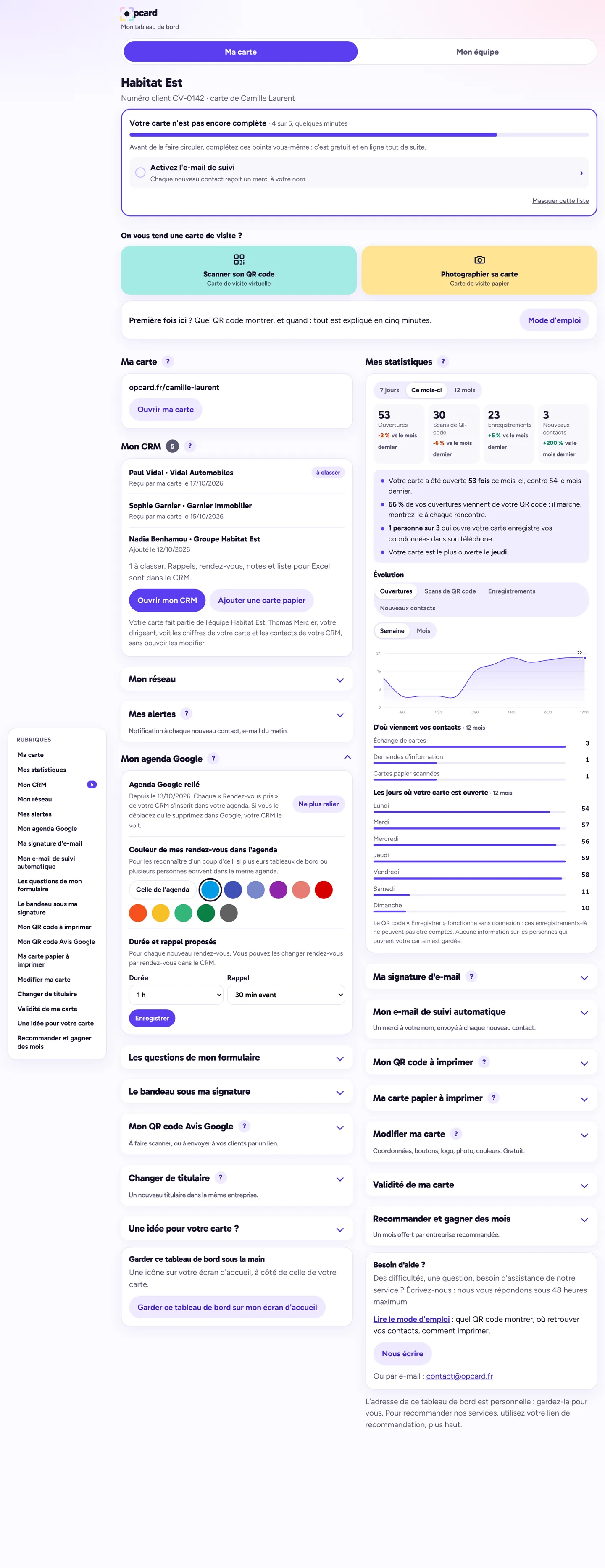
On your computer as well as on your phone, where it installs as an icon. Here is what you will find there, as is, on a demo card.
opcard.fr · my dashboard
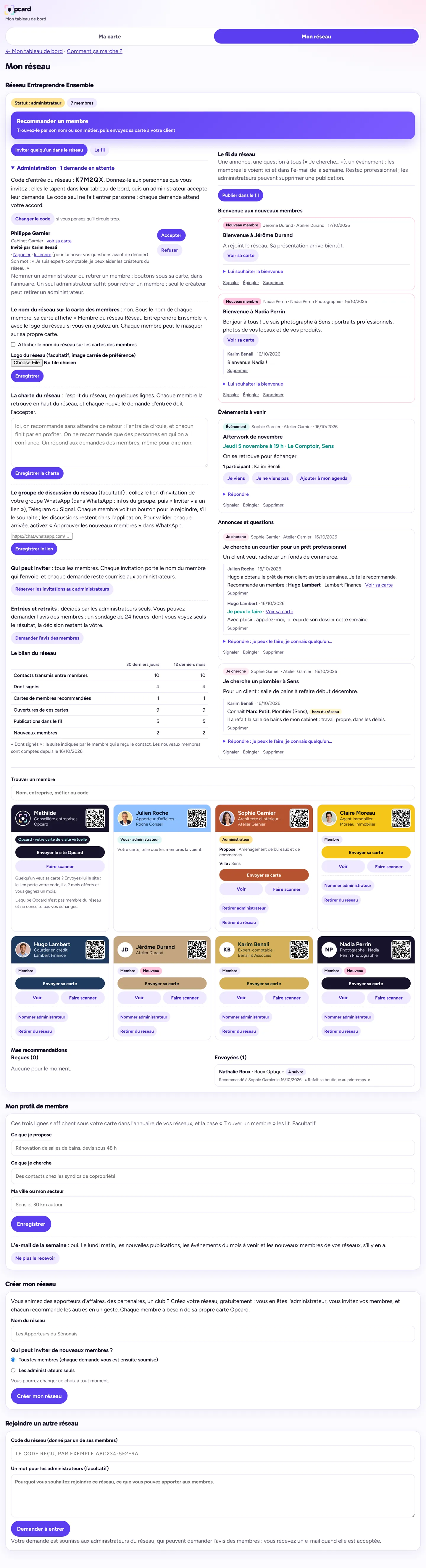
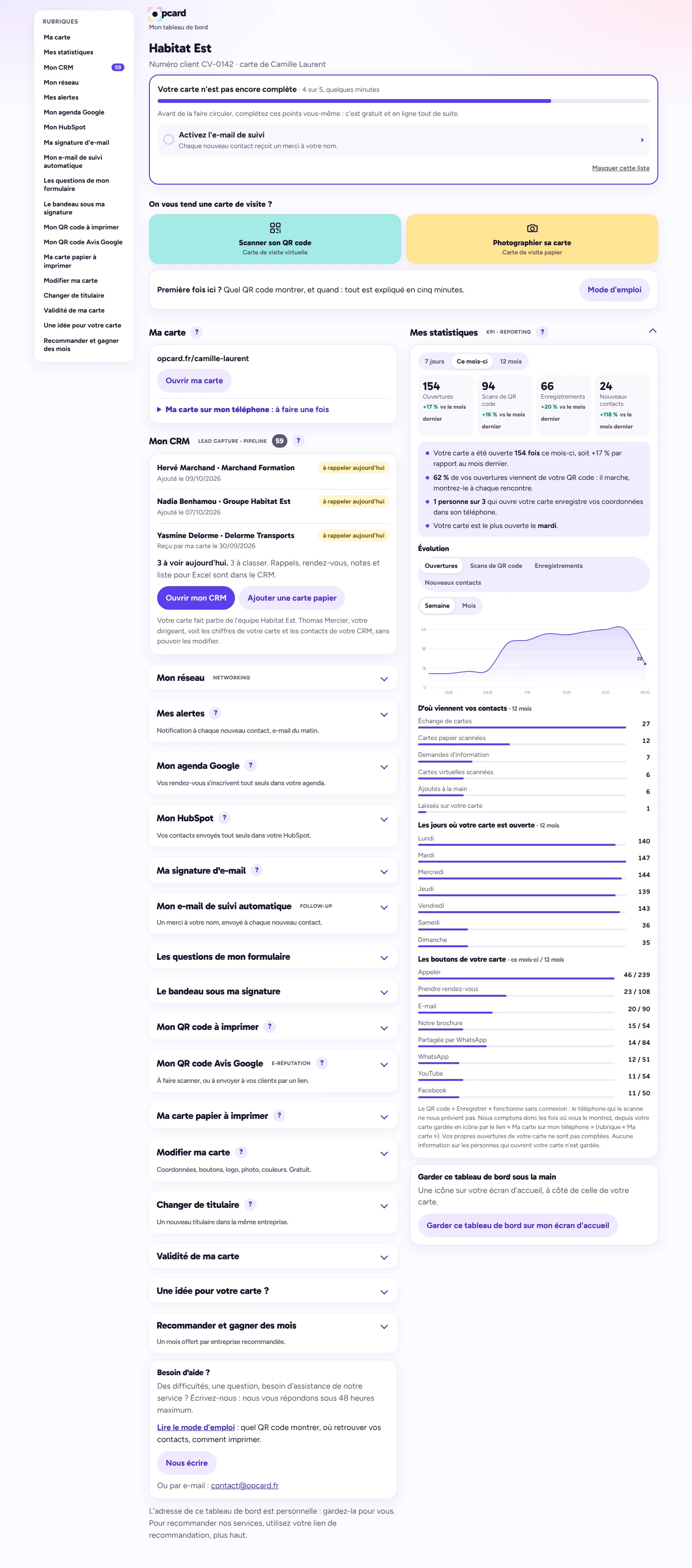
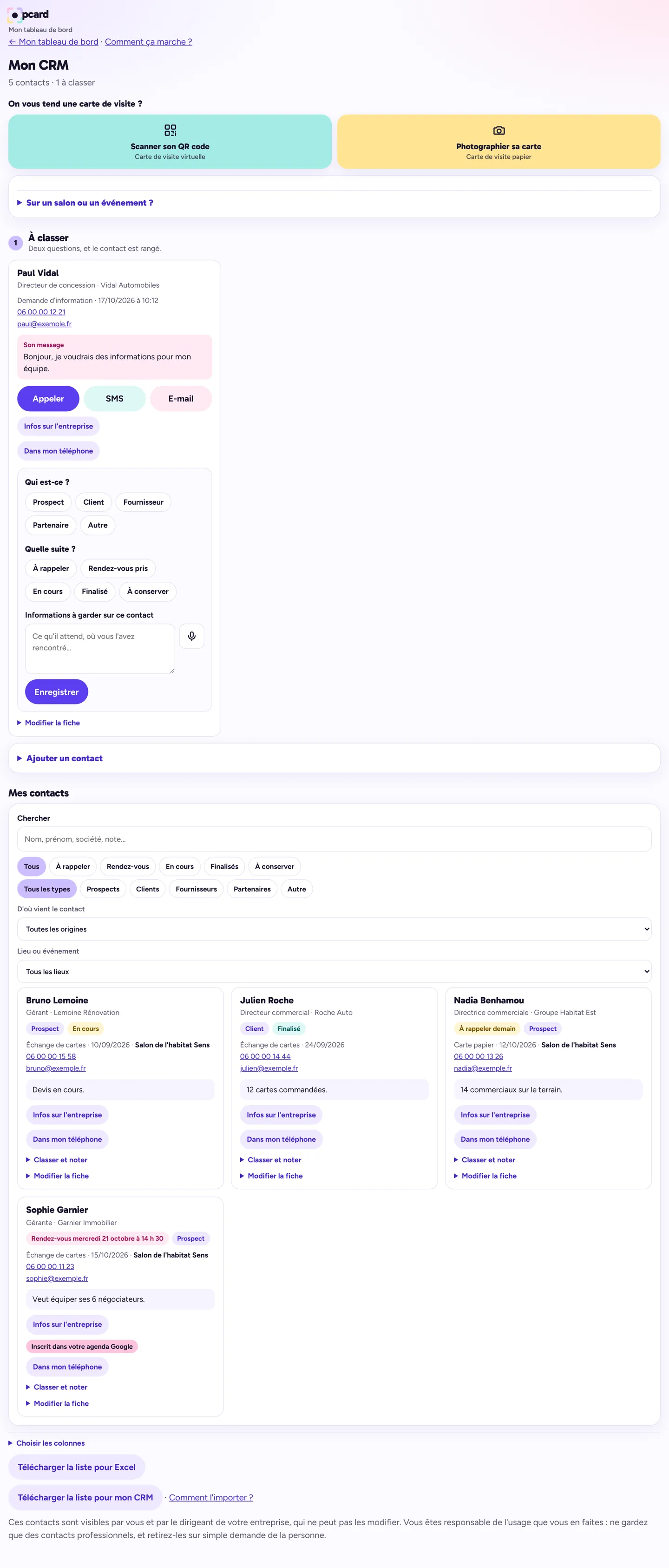
Dashboard home on a computer: sections on the left, card, CRM and statisticsCRM on a computer: contacts to sort on the left, all contacts on the rightMy Google Calendar section: active connection, suggested colour, duration and reminderNetwork page on a computer: members on the left, network feed on the right

Your home screen: scan a card, your statistics and the key takeaways. All your sections are on the left.

Scroll the screen to explore · demo data

And on your phone:
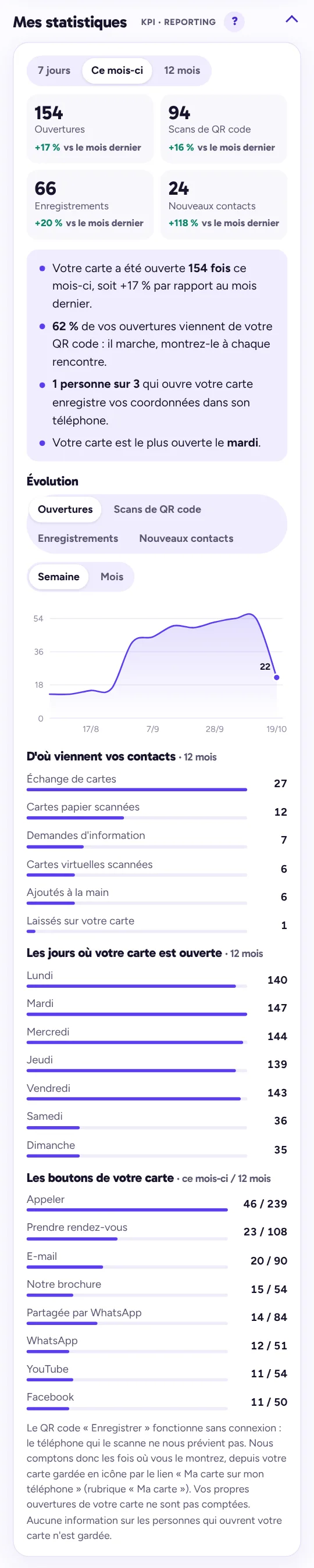
Dashboard statistics: views, scans, saves, new contacts, chart, sources and buttons

Your statistics

  • Views, scans, saves, new contacts, with the change from the previous period
  • The key takeaways, in plain words
  • Weekly or monthly chart, contact sources, busiest days

The dashboard CRM: today's reminders, contacts to sort, next steps

Your CRM

  • Every contact received or scanned lands in “To sort”
  • Who is it, what next, a reminder date: two questions and it's filed
  • Your appointments are added to your Google Calendar, if you connect it, with the duration and reminder of your choice; an appointment moved in Google is updated in the CRM
  • Export to Excel or CRM software in one click, and a direct connection with HubSpot

The dashboard home screen: scan a card, your card, your statistics

Your home screen

  • Scan the QR code or paper card someone hands you
  • Automatic follow-up email, alerts, email signature
  • Edit your card yourself, free of charge
Included

Your card opens the door to Opcard networks.

Join the network of a club or an entrepreneurs' association, or create your own for free: members' directory, tracked referrals, news feed. Members send you clients.

€69 when you order

Then €34.80 a year if you renew, i.e. €2.90 a month. No subscription: nothing is charged afterwards.

All included: card, QR code, dashboard, CRM, statistics, updates.

Create my network free Equip my team from €1.80/month Just for me €2.90/month Equip my venue café, shop…