Your means of communication
Your details stay in their phone.
A link and a QR code, with nothing to install, for you or for the person in front of you. They save you in one gesture, you leave with their details, and it all arrives filed in your dashboard.
What really matters
The link does not get lost.
A paper card ends up in a pocket, then in a drawer. Your virtual business card is saved in the other person's phone. They find you again six months later, and what they see is up to date.
And in return
You leave with theirs.
That is the other half of the exchange, and the half that pays. Four ways to collect a contact, depending on the situation.
And nothing gets retyped: what comes in through the card is already in your dashboard. See what the CRM does.
What is on it.
You stay in charge
It changes in one click, and it is free.
Details, introduction, buttons, logo, photo, colours: everything changes from your dashboard, as often as you like. The link and the QR code never change, so whatever is printed stays valid.
Need paper, now and then?
It happens: a trade show, a display at a shop, a flyer to leave behind. Your dashboard prepares the files to print, with your QR code on them: a show badge, an A4 stand sign, and a card in the classic business-card format, ten to an A4 sheet. The QR code always leads to your card as it is today.
What it actually looks like.
A first exchange deserves better than a scrap of paper.
Everything starts with an exchange of contact details: a sale, a partnership, a new relationship. Yet it is often the only step still on paper. Opcard takes it digital and turns it into a tool that works for you.
Read more
Every partnership, every referral starts there too. A paper card gets lost or forgotten at the back of a drawer. You might as well make the best possible impression and not lose a crumb of it: every encounter becomes a real asset for your business.
- Captureevery contact, in one scan
- Qualifyand follow up in your CRM
- Analyseto perform

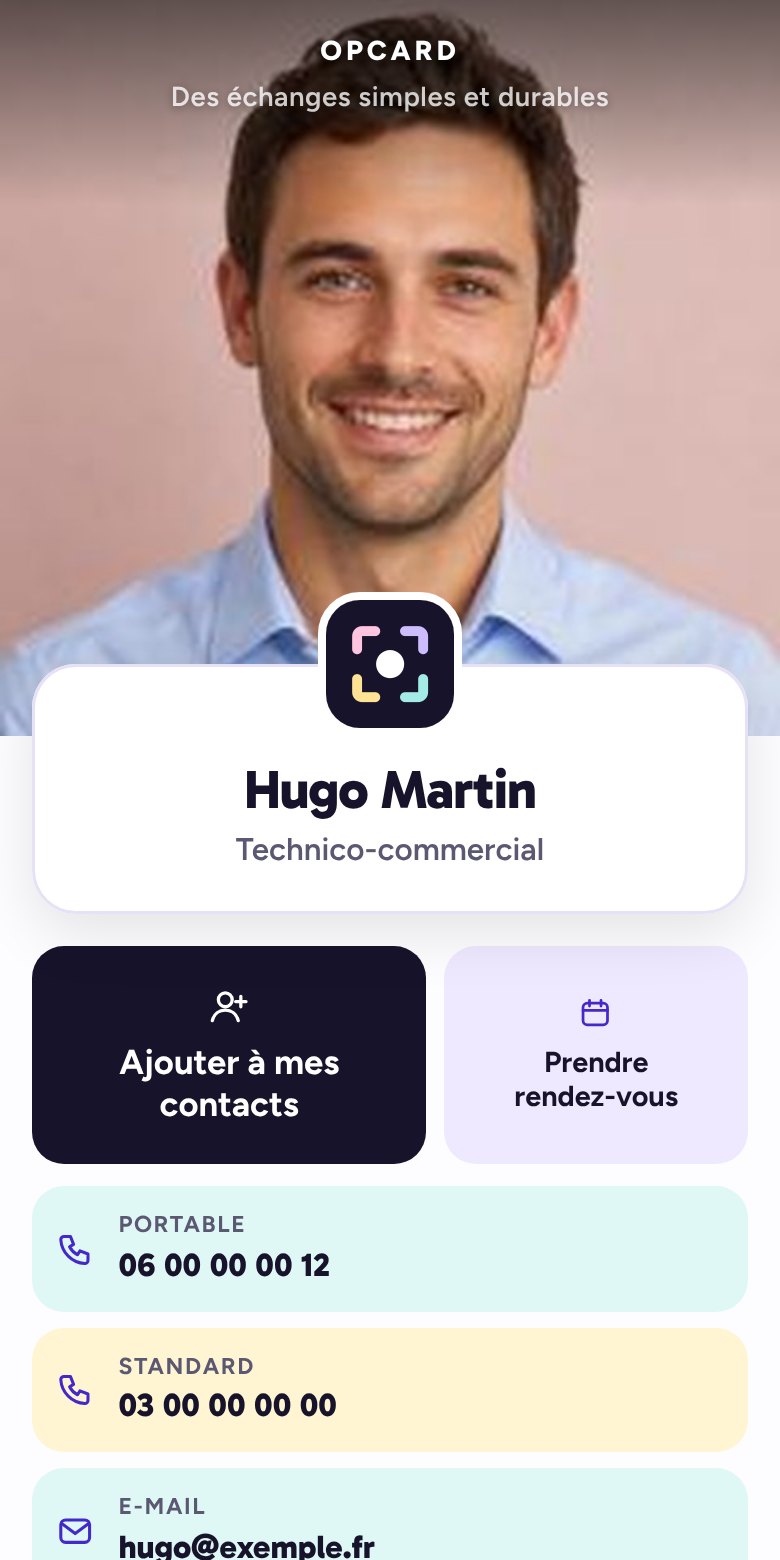
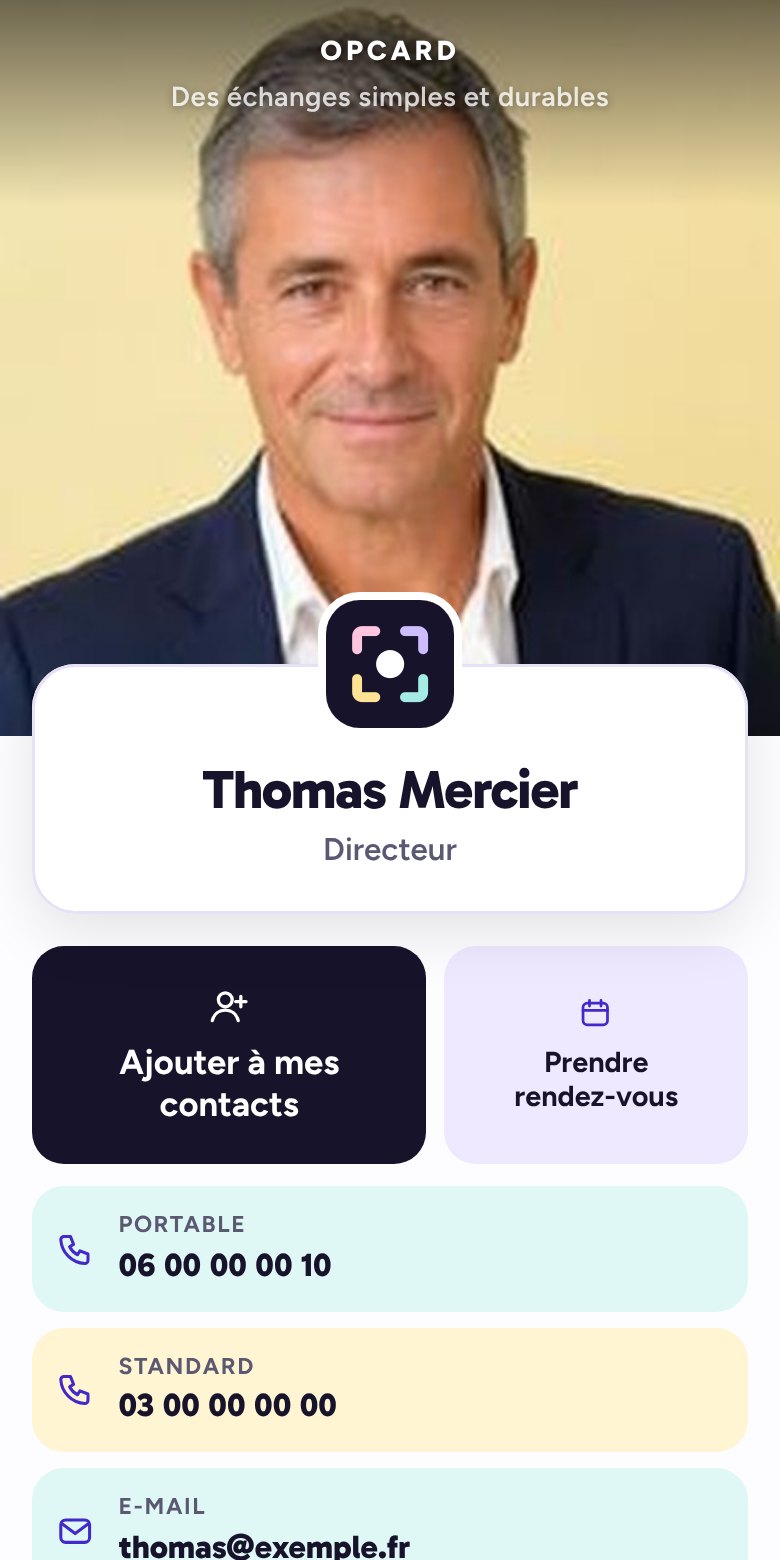
This is what your Opcard virtual business card looks likeIt is the card your clients see and keep, and so do you. It is personalised to your image, and you edit it yourself from your dashboard.
1Add to my contacts
One tap, and your details are saved on your client's phone. Name, number, e-mail, company: nothing to copy out.
That is also what the first QR code, “Save”, does: your client scans it and your details are saved straight to their phone.
2Book a meeting
Optional. You open your own booking page from your dashboard, at no extra cost, or add the link of the booking calendar you already use: your client picks a free slot themselves, by phone or video call, and you confirm with one tap on your phone. Without a page or a link, the button does not appear.
3Your numbers and your e-mail
Written out in full on your card: people know what they are calling, and can note them down to reach you later. One tap, and your client calls you or writes to you. No app to download for that. Several numbers? Mobile, landline, office: each has its own line.
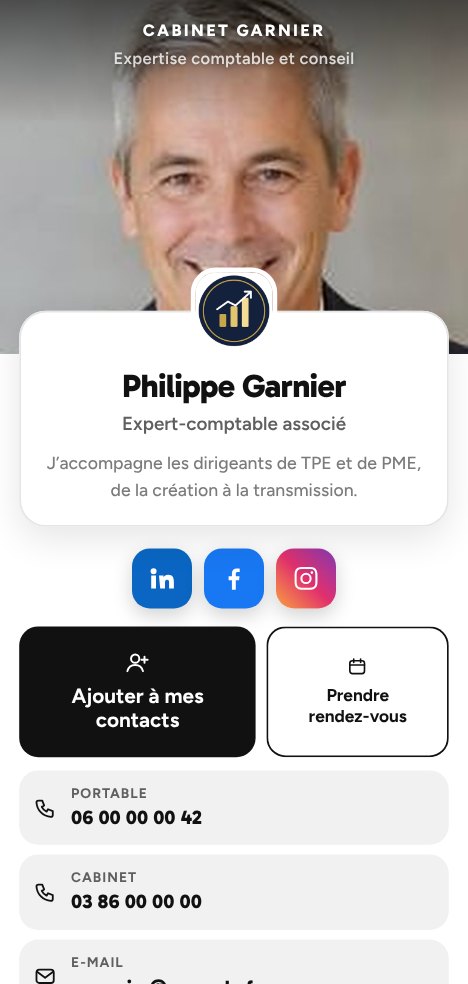
4Your social networks and your links
Your social networks as badges in their own colours, just below your name. Your other links (website, Google reviews, catalogue, brochure…) as buttons, with their address written out in full.

Léa Petit
Sales assistant
I support our clients from the first exchange through to signature, and I remain your day-to-day contact.
Scan: your details are saved straight to their contacts, even offline.
Which number to call?
Tap a number to see what it does
5Your two QR codes
You show them on your phone, your client scans them with their camera.
“Save”: your details go straight into their contacts, even offline.
“Open the card”: your virtual business card opens on their phone, with your buttons and links, and a window offers to save your details, and invites them to leave theirs in return. Connection required.
6Share the card in one gesture
These buttons work for you and for your clients alike. You send your card to a prospect; a happy client sends it to someone close to refer you. WhatsApp or SMS: the message opens with the card link already in it, all that is left is to choose the recipient. “Send to” opens the phone's share menu (Quick Share, e-mail). “Copy link” is for your e-mails, your quotes, your signature.
7Your client leaves you their details
At the bottom of your card, they can give you theirs in return: their first and last name, company, phone, e-mail, or simply a photo of their business card. They go straight into the CRM in your dashboard. With “Get a call back”, they ask you to call them back.
8On the home screen, like an app
You keep your card as an icon on your phone, to show it in one gesture. Your client can do the same, with the “Keep this card on my home screen” button. On Android, you can also add it to Google Wallet from your dashboard: your QR code appears in one gesture, like a loyalty card. Google Wallet is not available on iPhone.
The difference with “Add to my contacts”: the contact stores your name and numbers in their address book. The icon keeps your whole card, with your buttons and links, always up to date.
 An icon with your logo
Your card, sent by message
By SMS, WhatsApp or e-mail: the link appears with your photo, your name and your job title. Your contact opens it and saves your details in one gesture.

The demo shows everything. You personalise your own card.
You choose the buttons, contact details and links to share with your clients, with or without your photo, in your colours: your own brand guidelines, or one of the designs we offer.
Contact us
Paper, social network or virtual business card?
Only one of the three gives you back the client's contact details. Choose Opcard. Just saying.
| Criterion | Paper card | Professional social network | pcard |
|---|---|---|---|
| Cost per person, over a year | €90 | Free | ✓€20a month, or €197 a year, all included |
| Your details on the client's phone | To be copied out | Once accepted | ✓1 scan |
| Their details come back to you | — | If the invitation is accepted | ✓Straight into your CRM |
| Prospect follow-up | — | — | ✓Reminders, meetings, Google Calendar |
| The cards you are given | At the back of a drawer | — | ✓Scanned in 1 gesture |
| New number, new job title | Reprint everything | Profile to update | ✓30 s from your dashboard |
| Business network | — | Open to everyone | ✓Private and exclusive, by invitation |
| Google reviews | — | — | ✓Requested automatically |
| A team member leaves | Cards in the bin | Their connections leave with them | ✓Their contacts stay with you |
| Manager's view of the team | — | — | ✓Manager dashboard |
| App for your client | None | An account | ✓None |
| Environmental impact | Disposable paper | — | ✓CSR approach: print only if needed, never reprint |
Need paper, just this once?
A trade fair, a client who prefers paper, a flat battery: print it yourself, from your dashboard, on your own printer. In your company colours, with the details you choose to show.
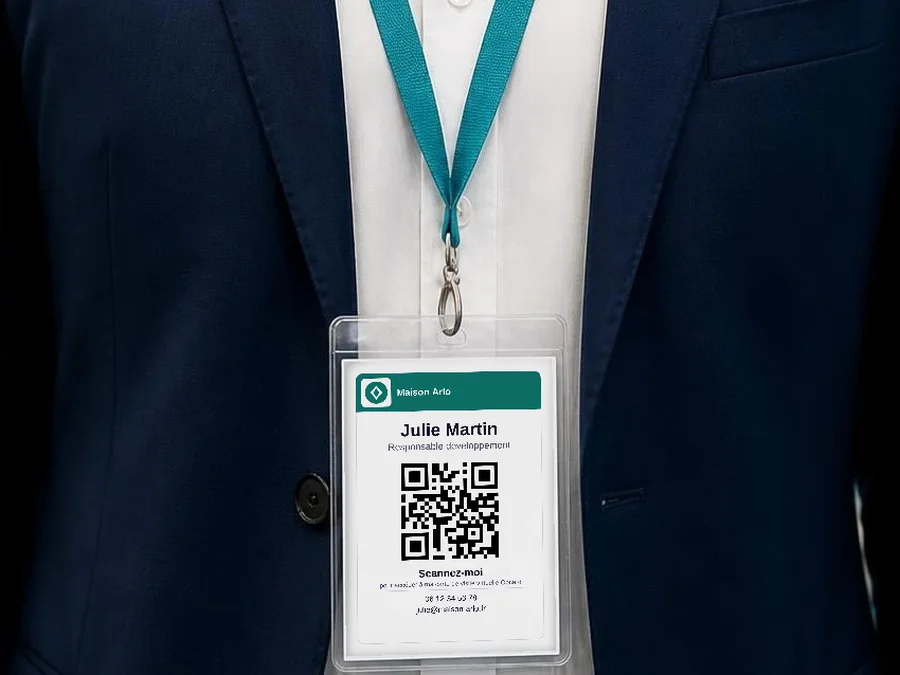
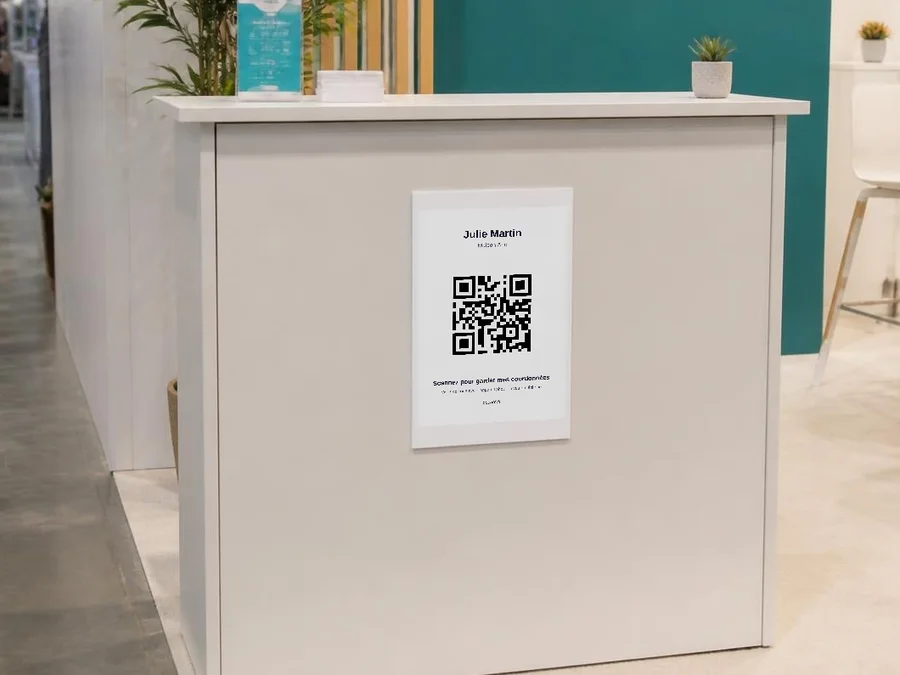
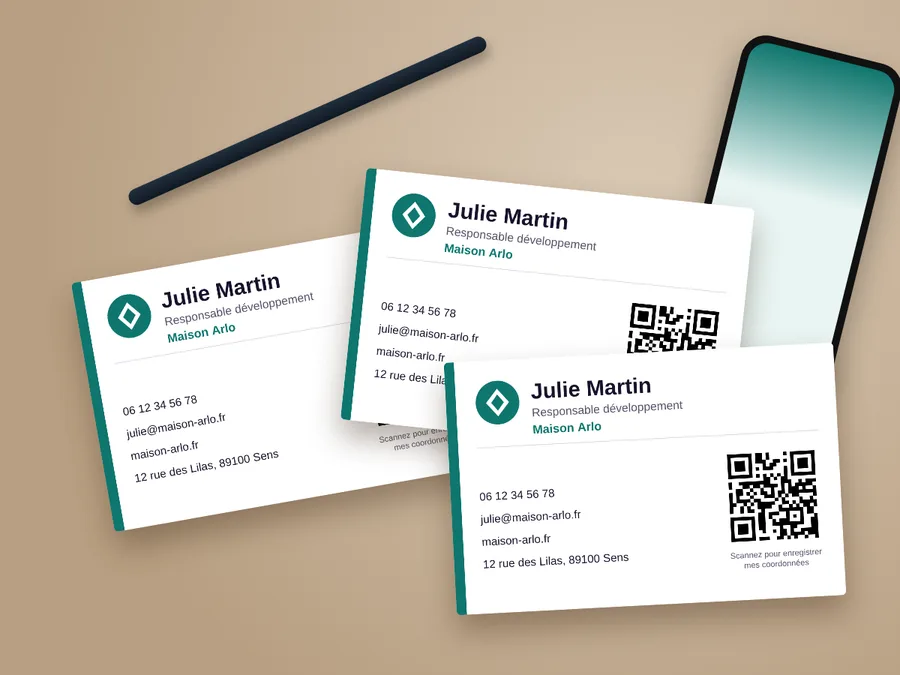
Print on thick paper, 200 gsm or more, for a sturdy result. The QR code always leads to your up-to-date card: a number that changes, even at the last minute, and your prints stay valid.
And the rest of the tool
Everything is included in the same subscription, and it all hangs together: what comes in through one part comes out through another.
How does it work?
Your virtual business card: 1For you2For your teams3For your network
Do you run a venue? A dedicated card: 4For your venue
1Your personal card
Your statisticsHow many times your card was opened, scanned, saved, and which buttons were tapped.
Your QR code can be printed tooTrade show, shop window, counter, brochure: your clients scan it and leave you their details, without you being there.
2Your teams
- One card per team memberIn the company's colours, with their name, job title and numbers.
- Your manager dashboardYou follow each team member's figures and contacts. They only see their own.
- Someone leaves? You stay in controlYou cut their access, the card moves to a new cardholder, the contacts stay with the company.
- Volume pricingFrom €16 a month per card.
All about teams3Your network
A powerful tool to build real mutual support between partners.
All about networks4Your venue: a dedicated card
For venues open to the public: café, restaurant, shop, games room… A dedicated card, separate from the business card.
- A single QR codeOn your tables, your counter, your shop window.
- Always up to dateMenu, prices, new collection, programme: you change it whenever you like, from your phone.
- More Google reviewsYour customers land directly on the stars.
- Your customers' photosTaken at your venue, with their permission to reuse them in your communication.
All about venues